How to use new gestures in ios 8 mail

Use New Gestures in iOS 8 Mail

19
STEPS
TOOLS

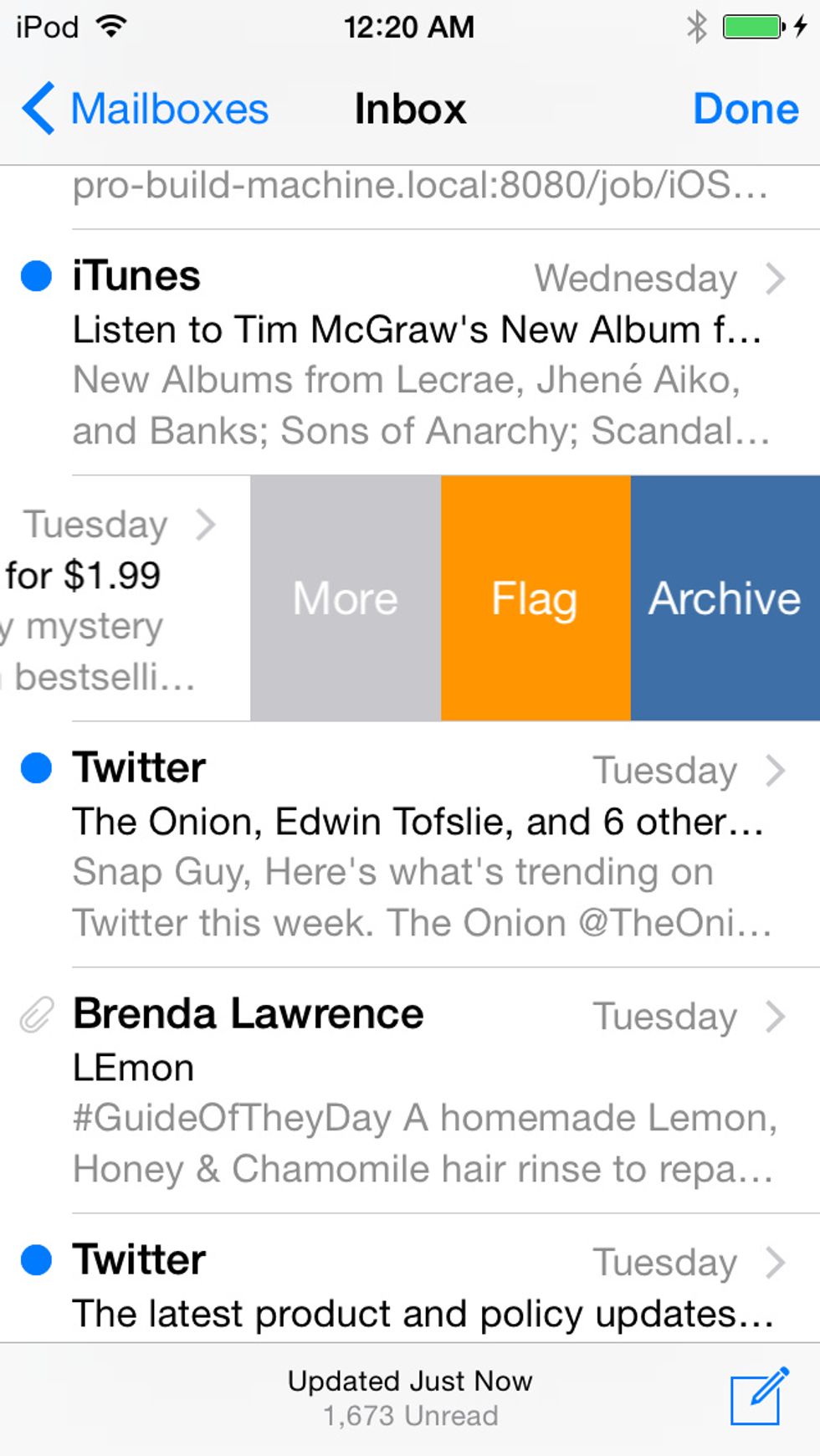
Swipe from right to left to bring up these three options (in previous versions of Mail there were only two).
Swipe from right to left to bring up these three options (in previous versions of Mail there were only two).

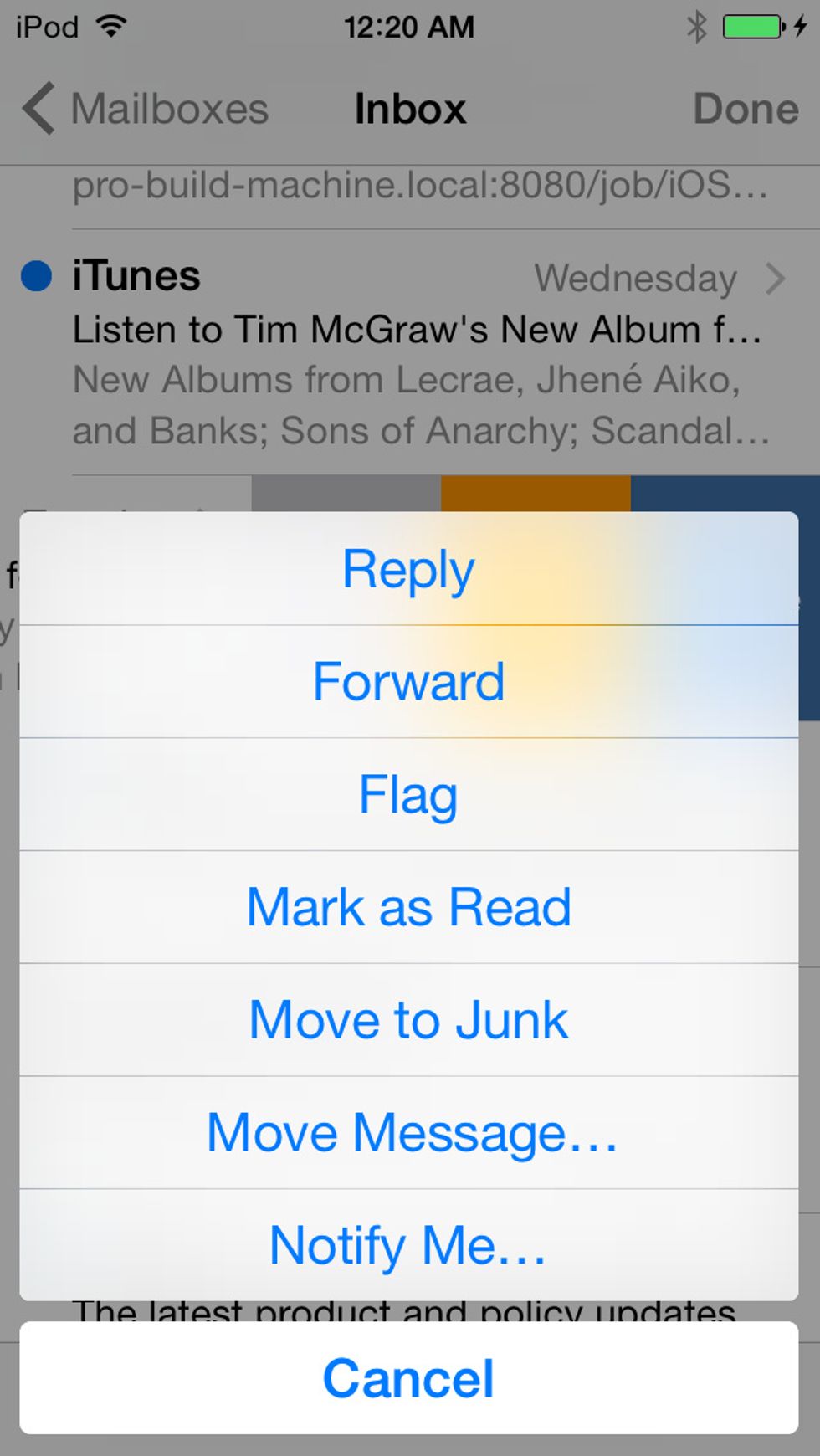
Tap 'More' to pull up a fuller menu including Reply and Forward.
Tap 'More' to pull up a fuller menu including Reply and Forward.

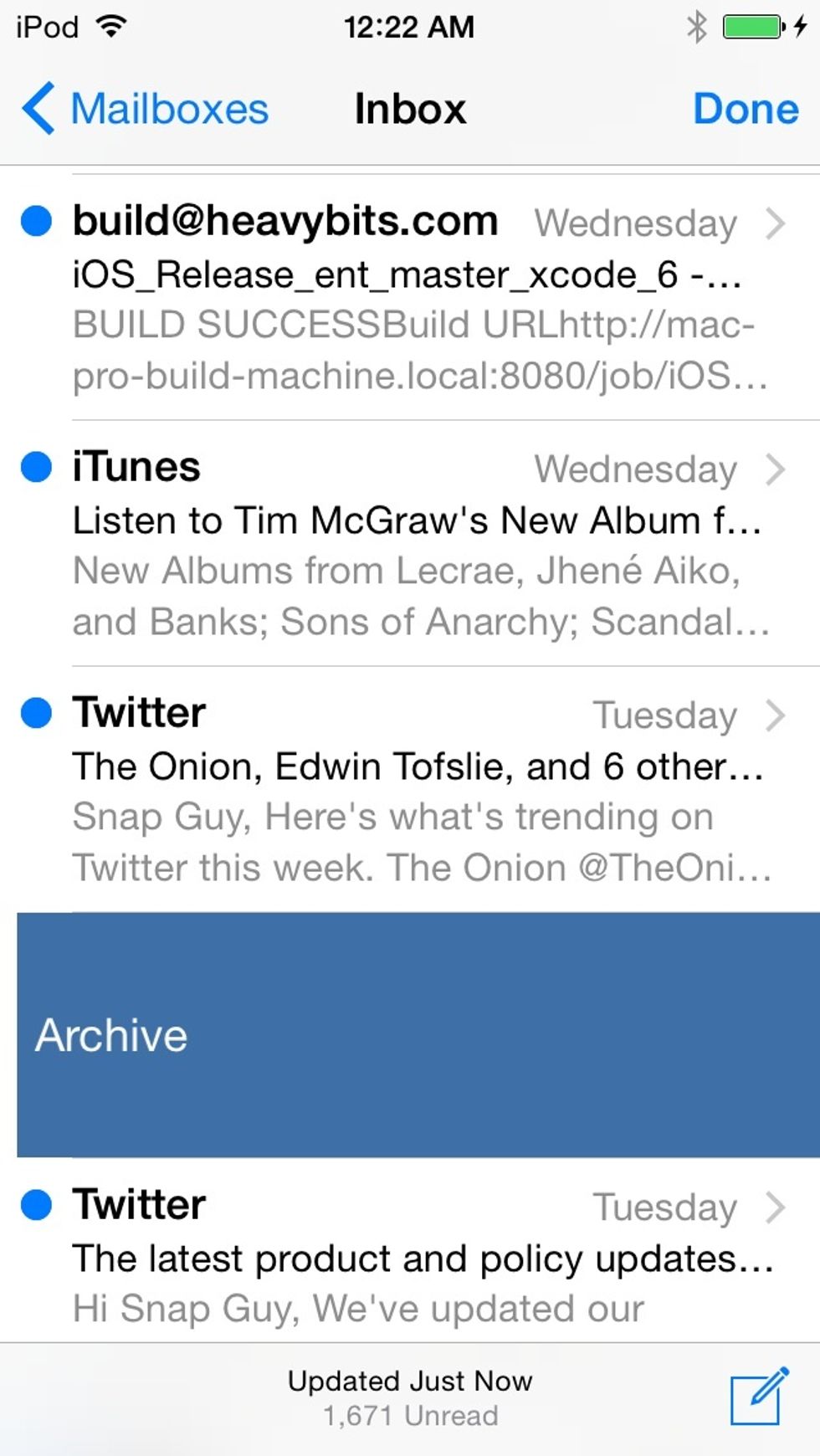
Or! From the inbox view you can also super-swipe -- allll the way from right to left -- to quickly Archive the message.

Or! From the inbox view you can also super-swipe -- allll the way from right to left -- to quickly Archive the message.

The creator of this guide has not included tools