How to speed up performance on apple devices

Speed Up Performance on Apple Devices

44
STEPS
TOOLS

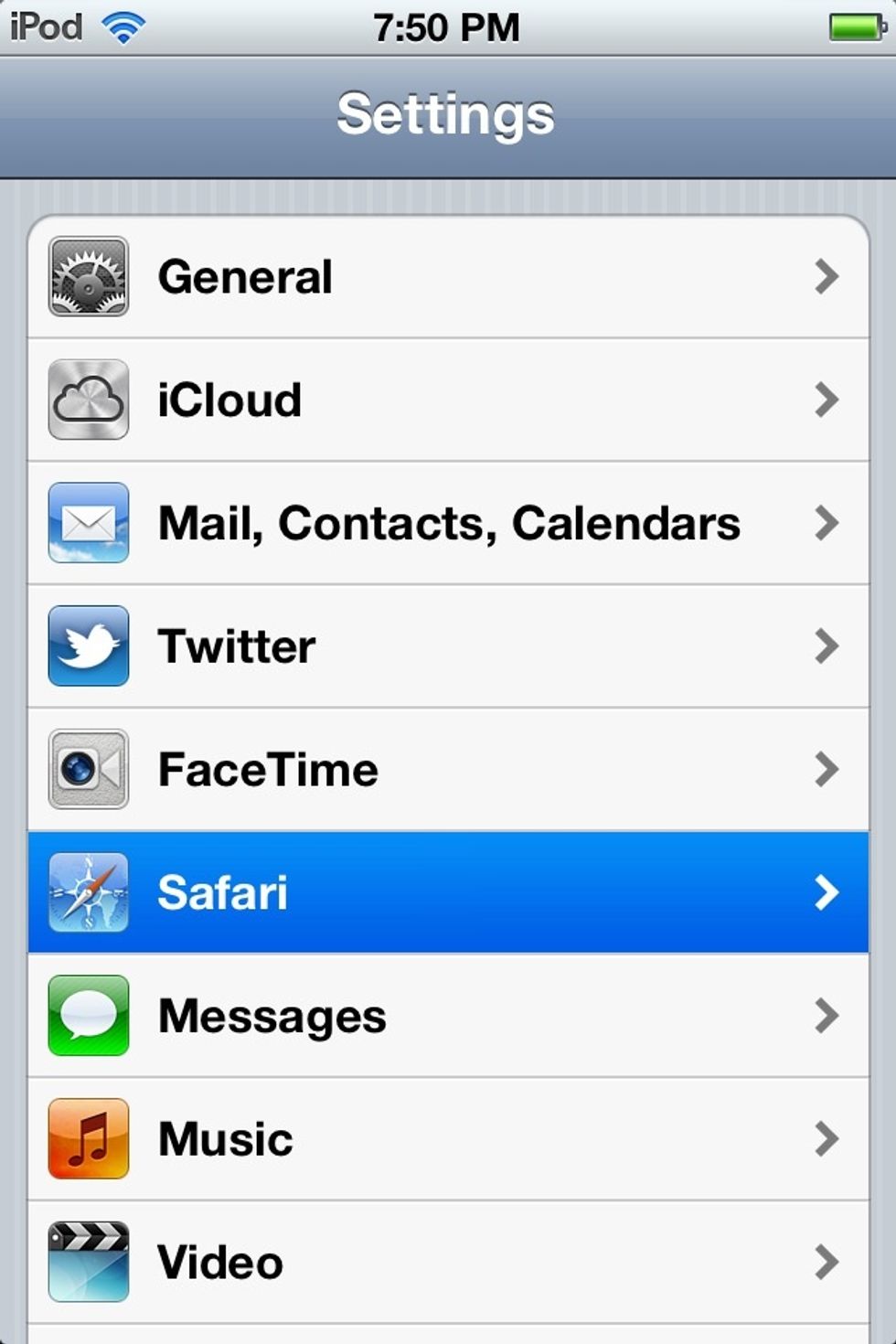
First off go to settings and click on Safari.
First off go to settings and click on Safari.

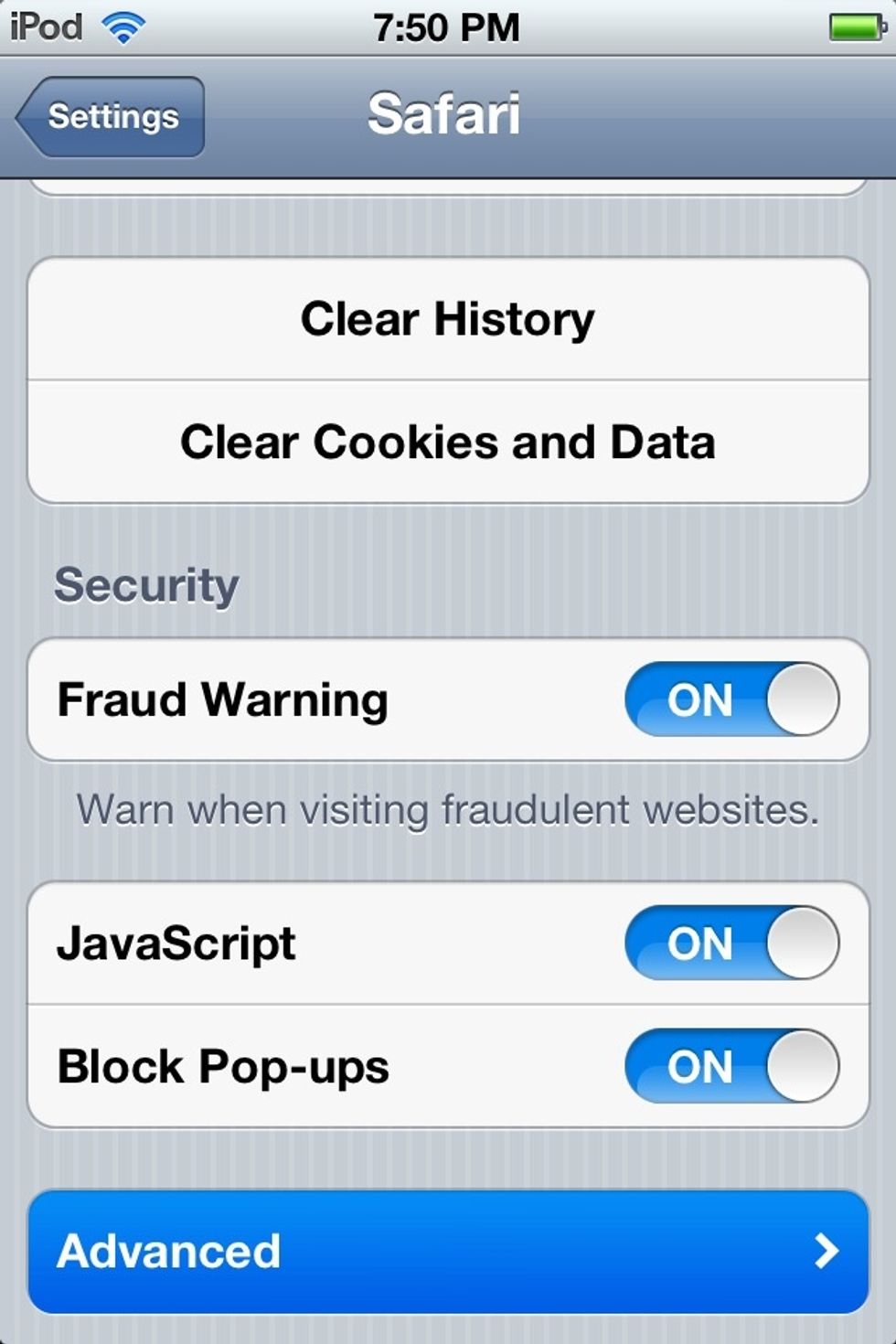
After that click on advanced as shown at bottom.
After that click on advanced as shown at bottom.

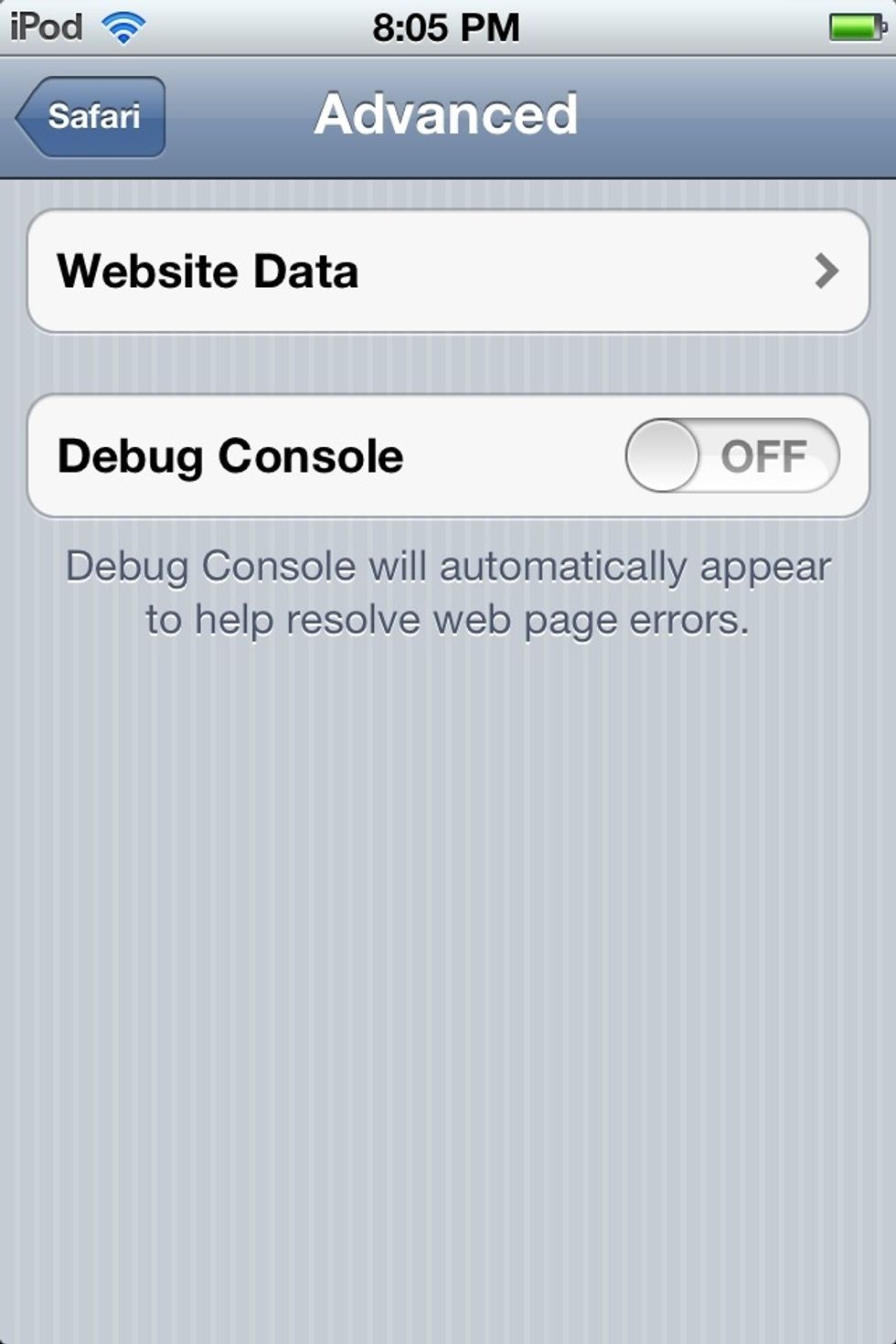
Tap on website data.
Tap on website data.

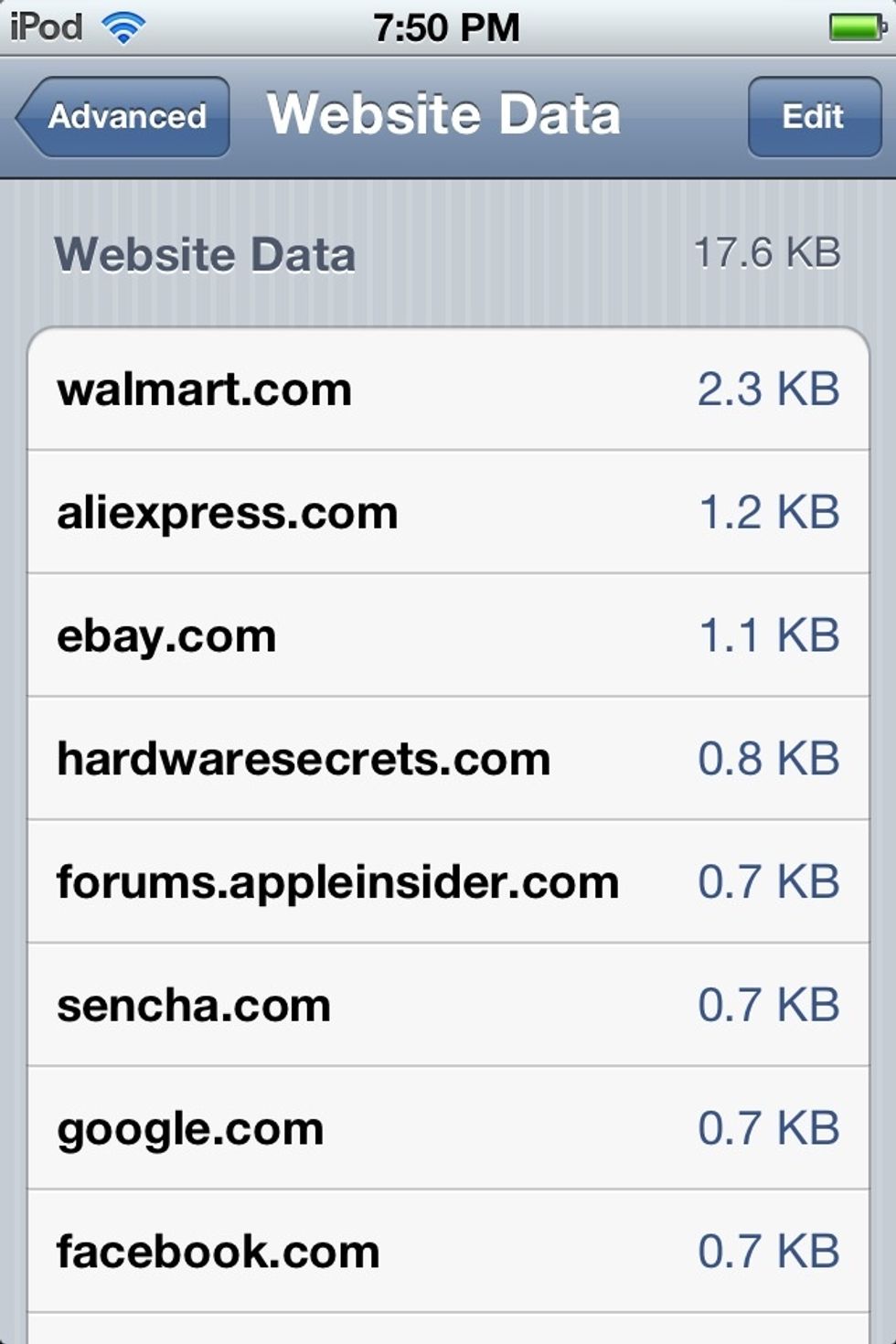
You should come up to a screen showing the sites you've visited.
You should come up to a screen showing the sites you've visited.

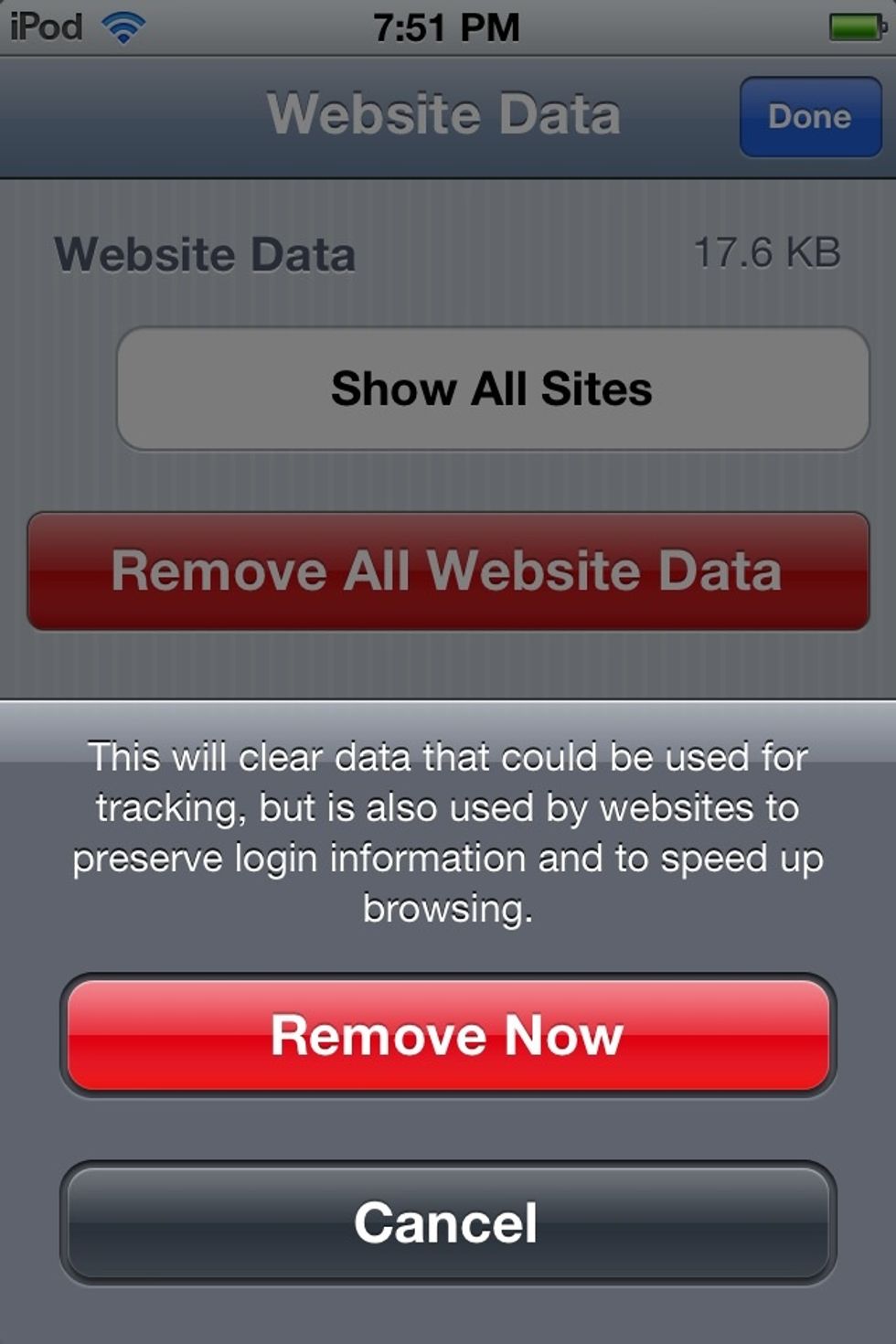
Press edit in the top right-hand corner of the screen. After that press remove all website data and remove now.
Press edit in the top right-hand corner of the screen. After that press remove all website data and remove now.

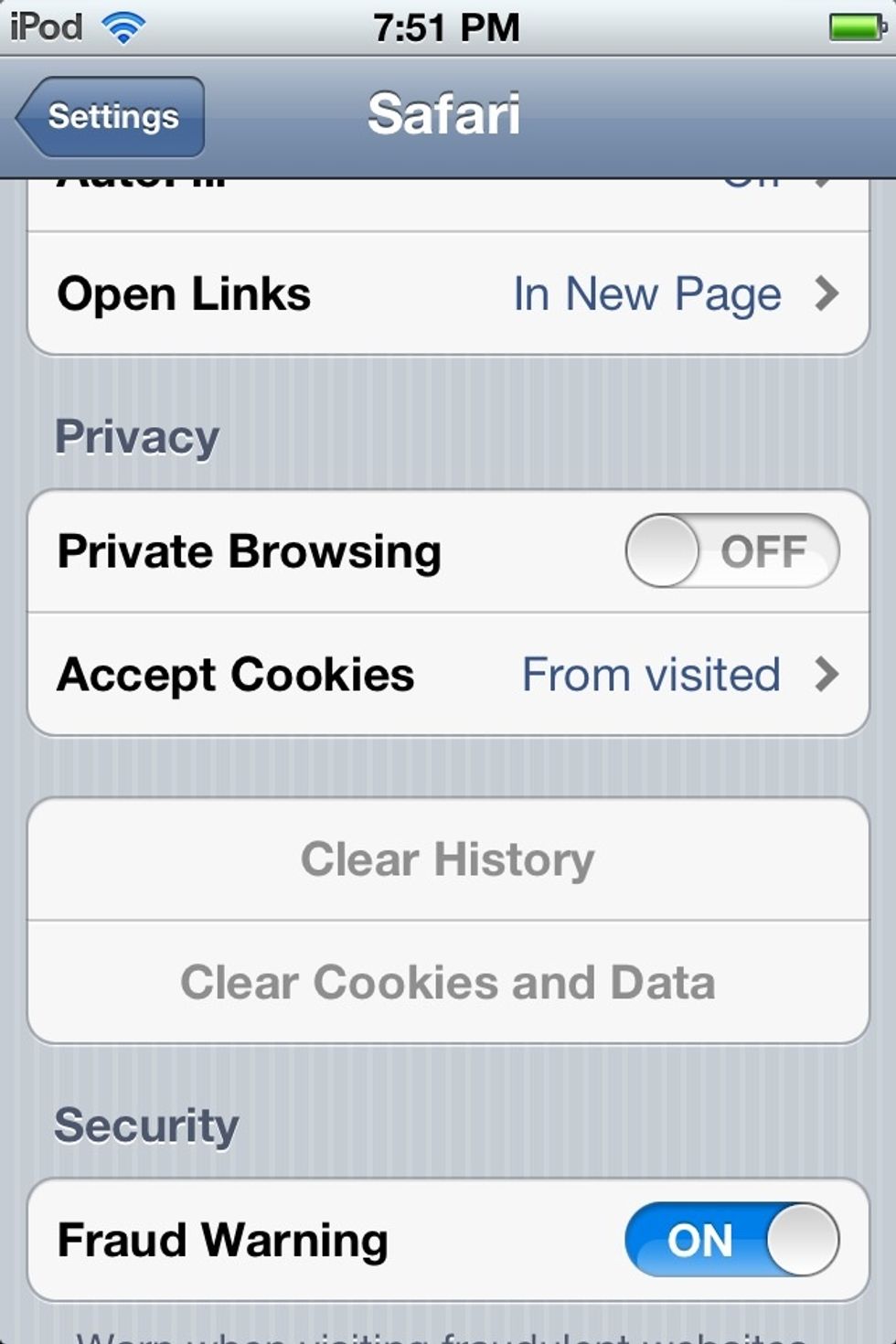
Next press on clear history and clear cookies and data.

Next press on clear history and clear cookies and data.

Lastly, double-tap the home button and hold one of the apps for a few seconds and the little red minuses should pop up. Click on them. Now your apple device should be performing faster.

Lastly, double-tap the home button and hold one of the apps for a few seconds and the little red minuses should pop up. Click on them. Now your apple device should be performing faster.

Another thing would be removing unused photos and apps. Thanks and Enjoy!

The creator of this guide has not included tools