How to set up your edmodo account

Set Up Your Edmodo Account

17
STEPS
TOOLS

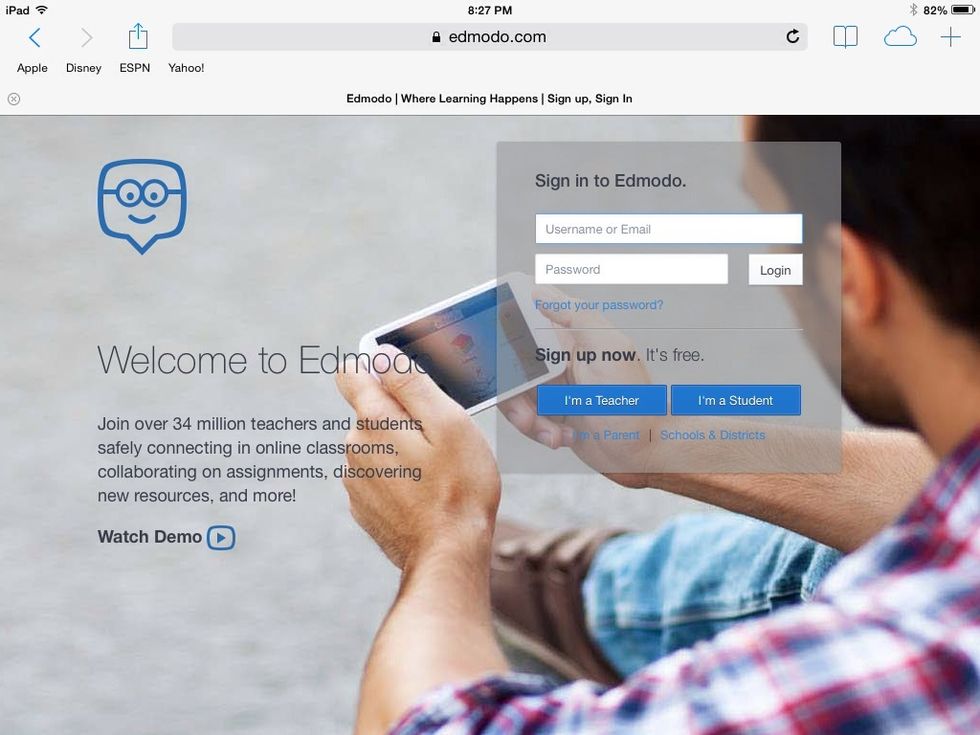
Go to www.edmodo.com

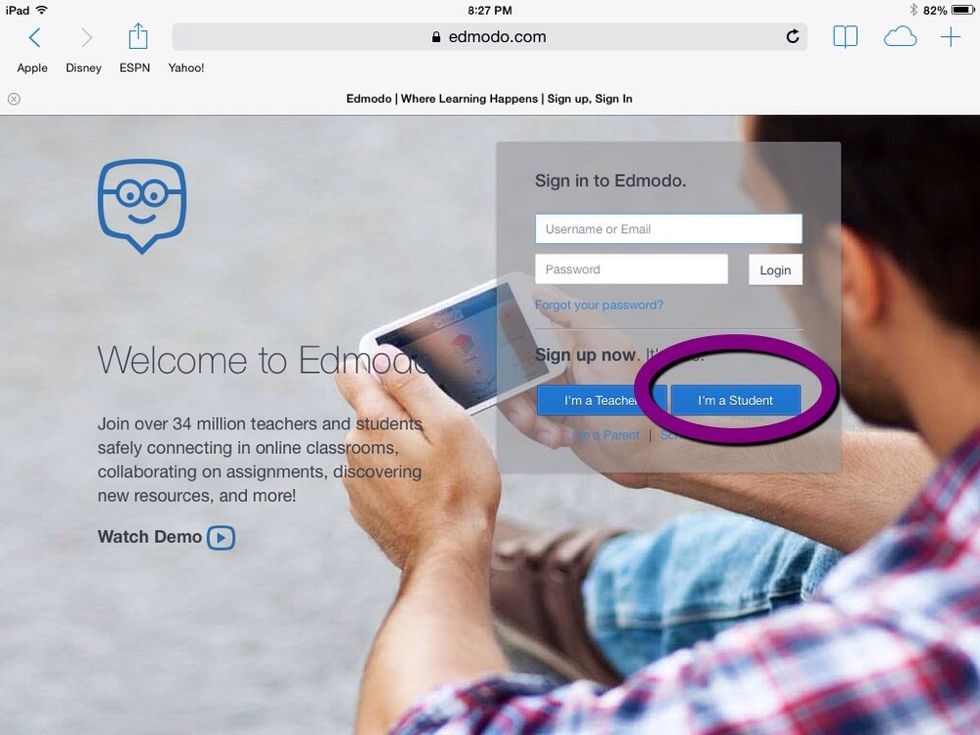
Click on "I'm a Student."
Click on "I'm a Student."

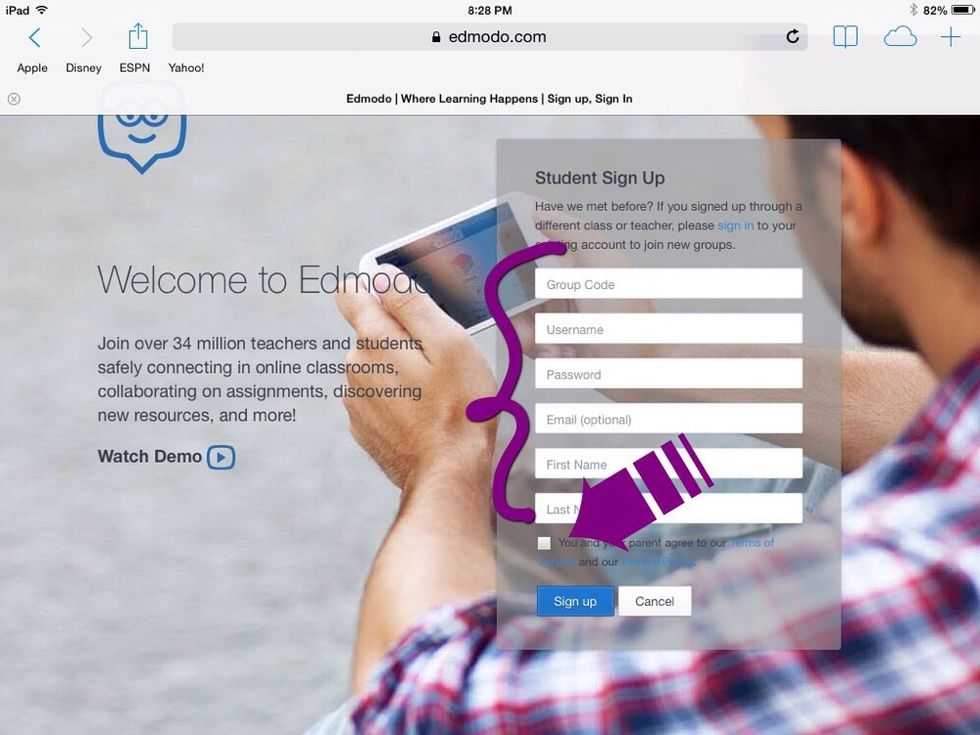
Enter the group code. For your username, use your network username and the word 'dryden'. For example, if my username is asmith1, I would use asmith1dryden as my Edmodo username.
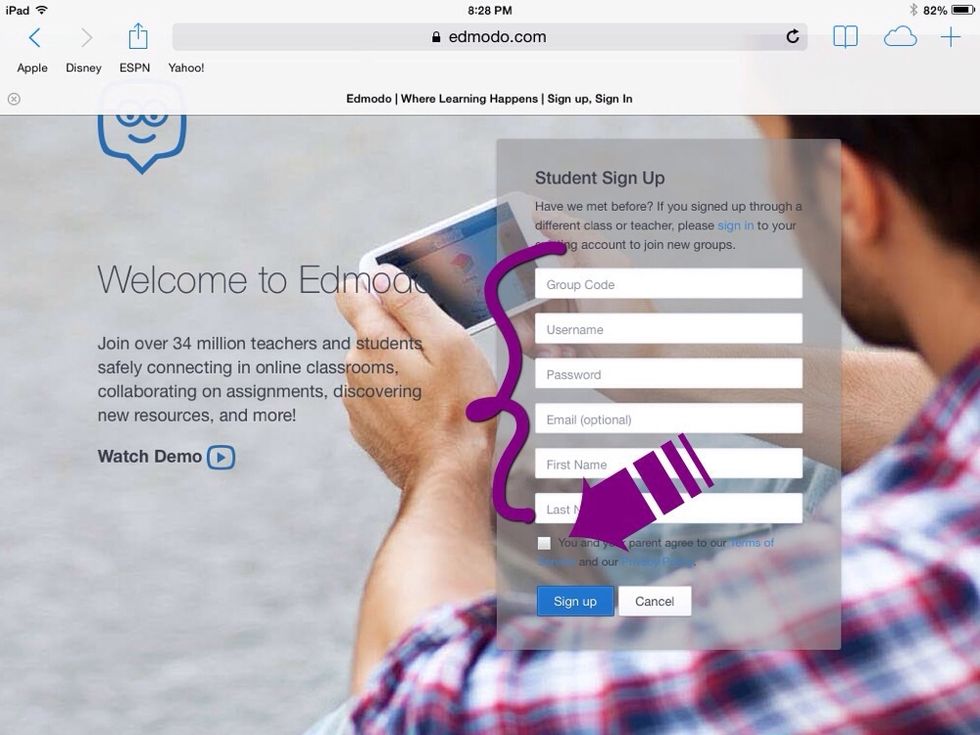
Enter the group code. For your username, use your network username and the word 'dryden'. For example, if my username is asmith1, I would use asmith1dryden as my Edmodo username.

Enter your school email address, do not use any other email address. Enter your first and last name. Check the box 'you and your parents agree to our terms of service', click the return/enter key.
Enter your school email address, do not use any other email address. Enter your first and last name. Check the box 'you and your parents agree to our terms of service', click the return/enter key.

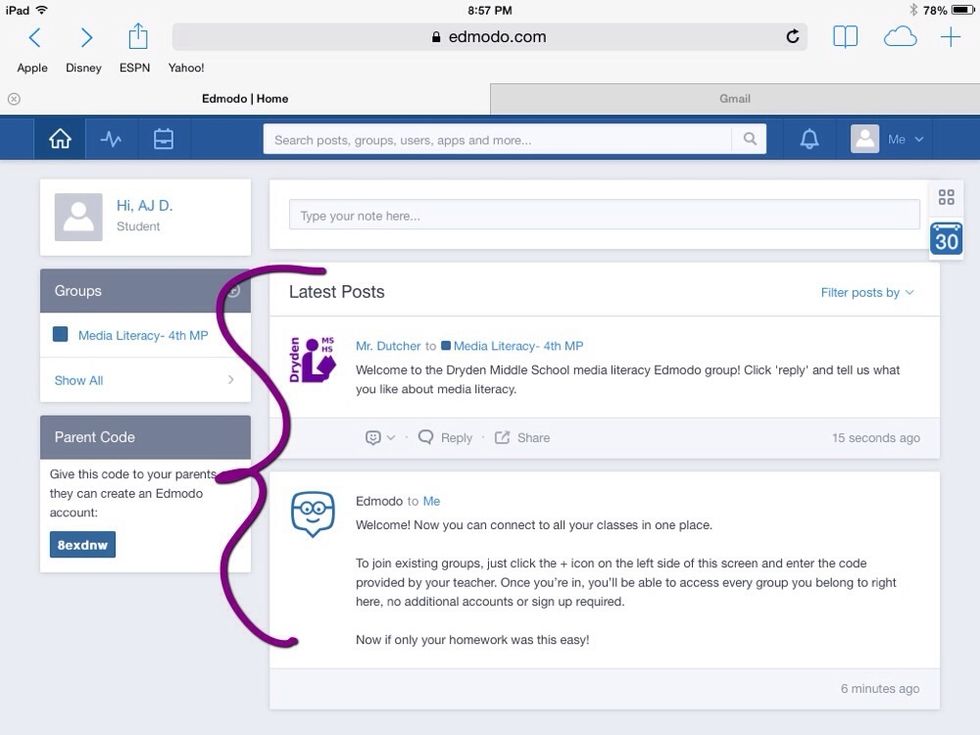
This is where you find posts for this class. This works like a blog, new posts at the top, older posts below. Follow the directions posted by your teacher.
This is where you find posts for this class. This works like a blog, new posts at the top, older posts below. Follow the directions posted by your teacher.

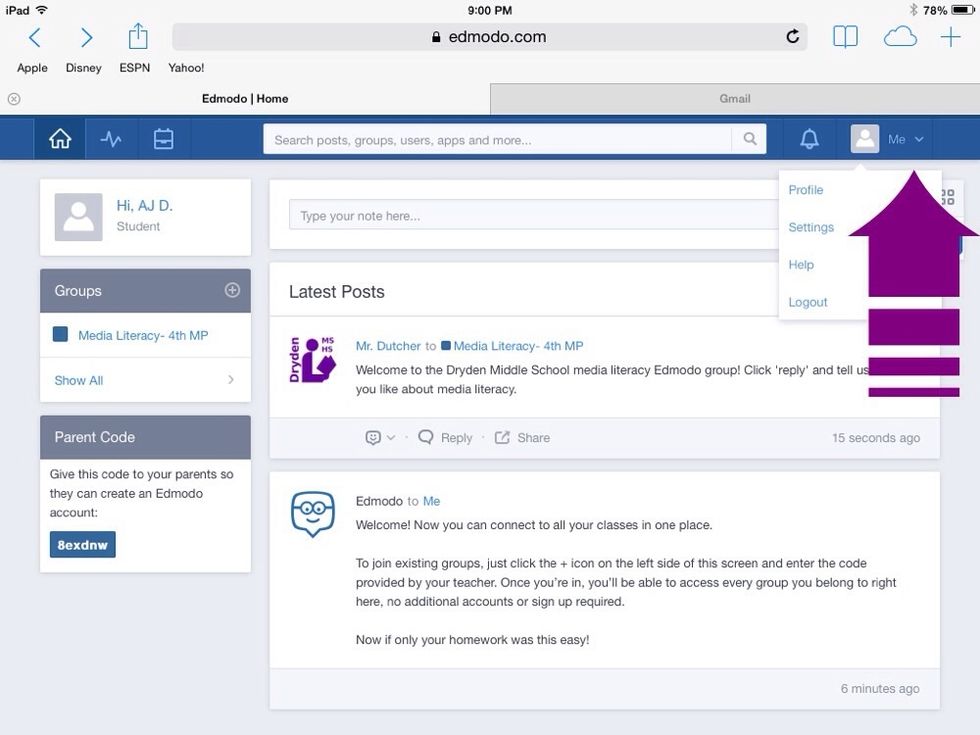
Click on the down arrow next to "Me" for your profile, settings, help functions and logout button. For safety reasons, don't change you user photo. You may change the color. Log out when you are done.

Click on the down arrow next to "Me" for your profile, settings, help functions and logout button. For safety reasons, don't change you user photo. You may change the color. Log out when you are done.

  • Parental permission is required.
  • Ask your teacher for the ' group code'.