
The Conversation (0)
Sign Up
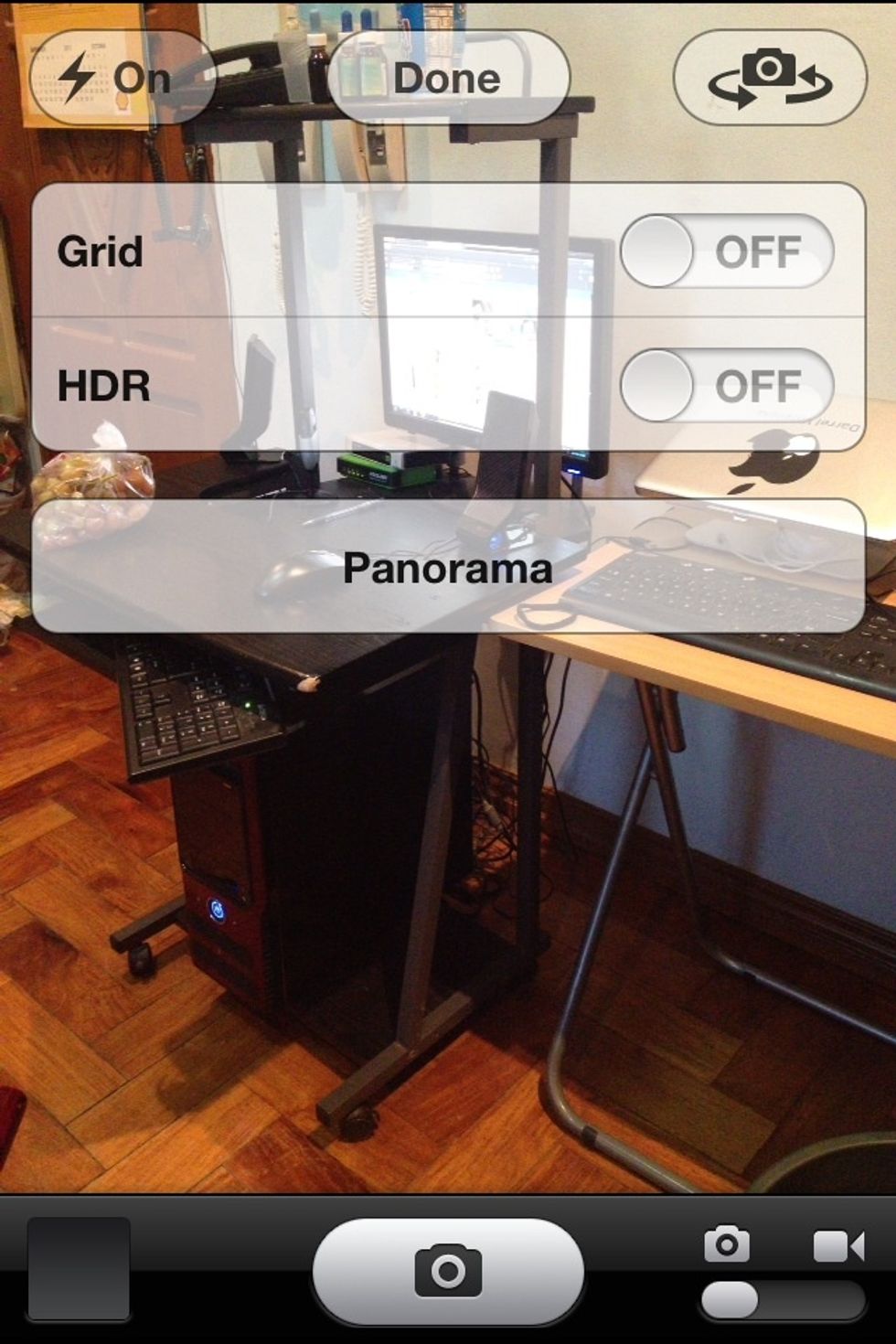
Open Camera App. Tap Option at the top and choose Panorama. Click Done
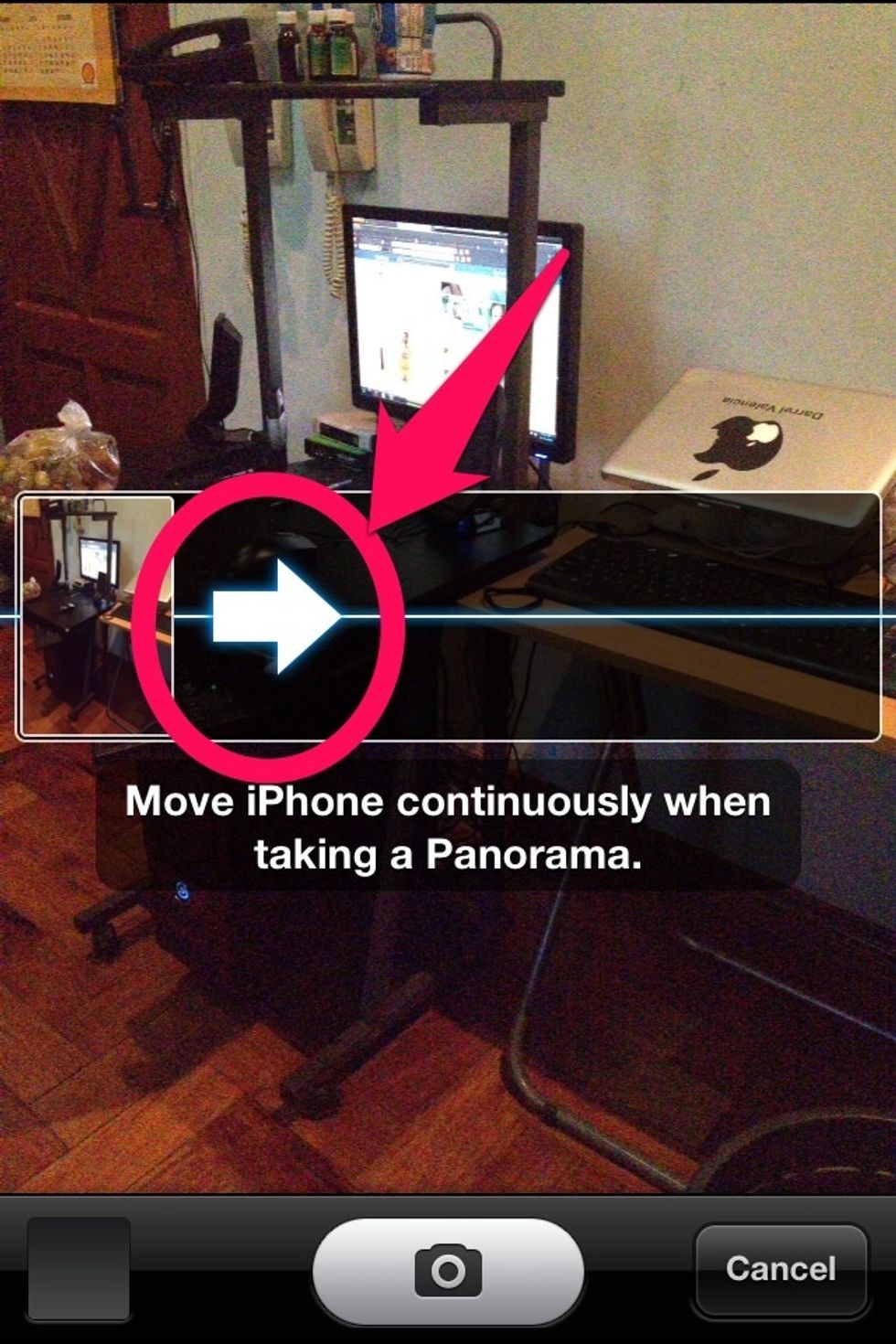
Click the Arrow (see image)
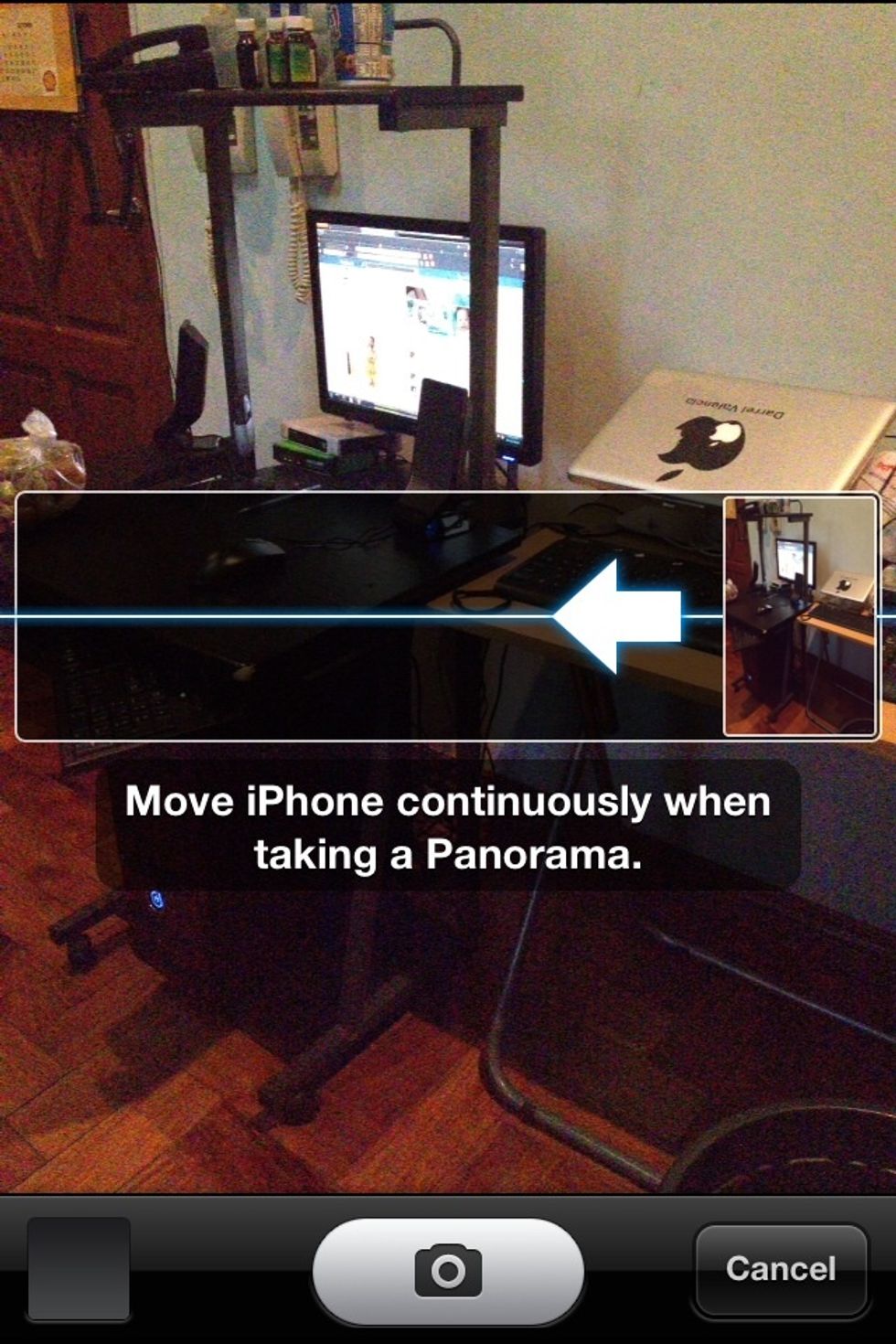
You can now capture Panorama Pictures from right to left.
Tips: 1. Align your camera when capturing Pictures. Moving objects may interrupt resulting to Blurred and Duplicate things/people. 2. Scroll Slowly (or otherwise the phone will tell you so)
Hope this Helps. FOLLOW ME and ill upload some tips and tricks for your Apple devices.