
The Conversation (0)
Sign Up
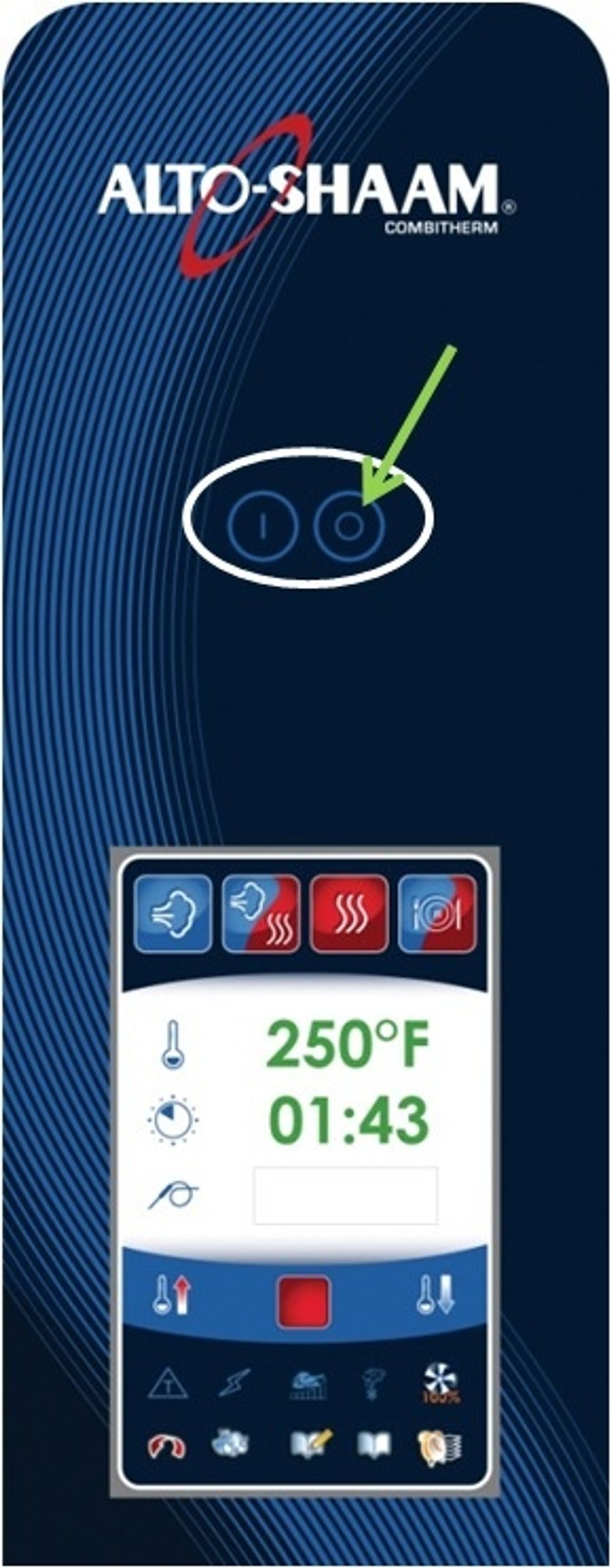
If control is on, turn off the control by pressing the off button.

Once the screen goes off, press the on button to turn the control back on.

When the loading screen appears, just press the off button, do not hold it down.
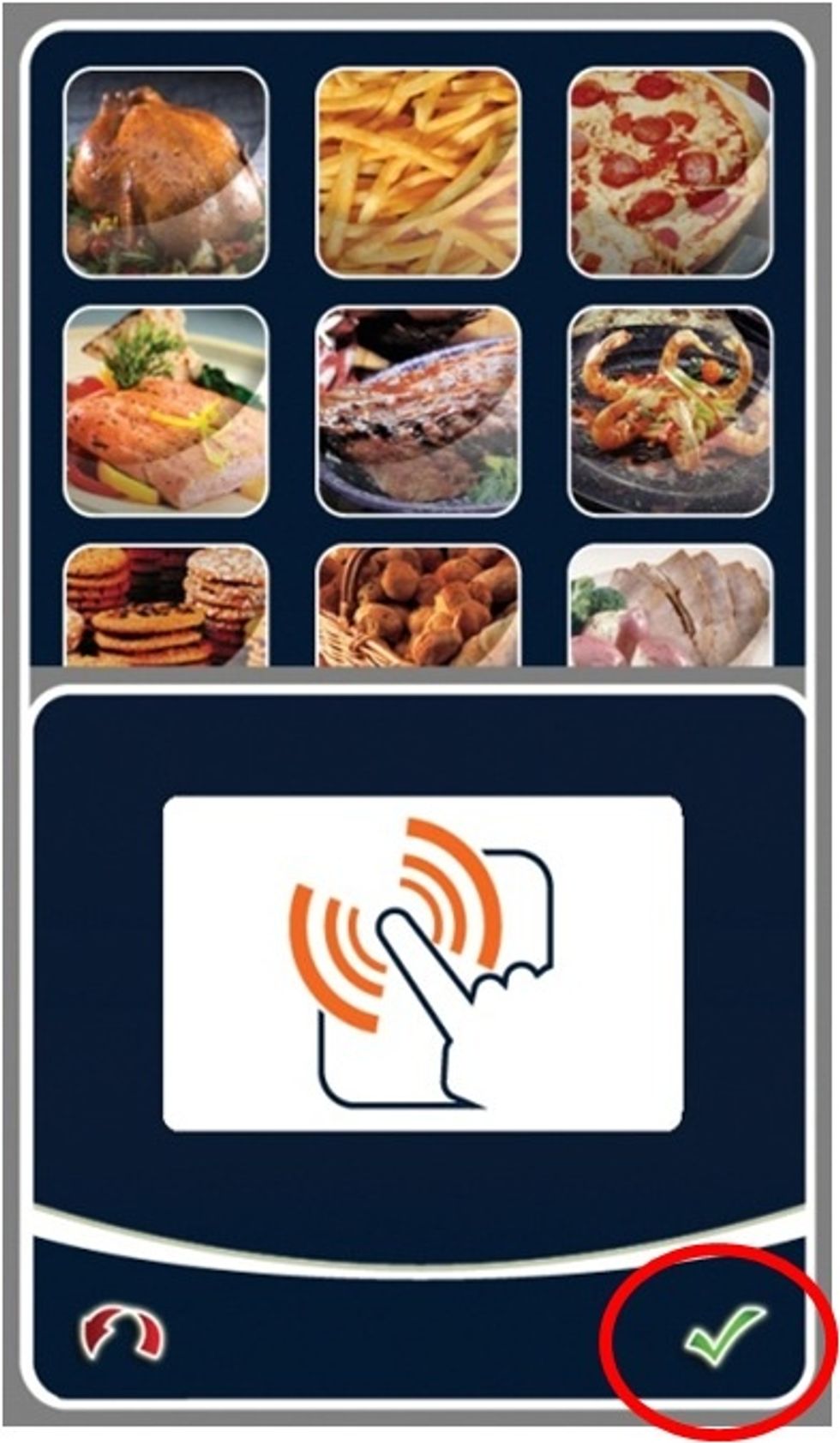
After the control is done loading, this screenshot should appear. Touch the green check mark to enter the calibration screen.

A white screen with a cross in the bottom left corner will appear. Touch and follow the cross for a total of 5 times.
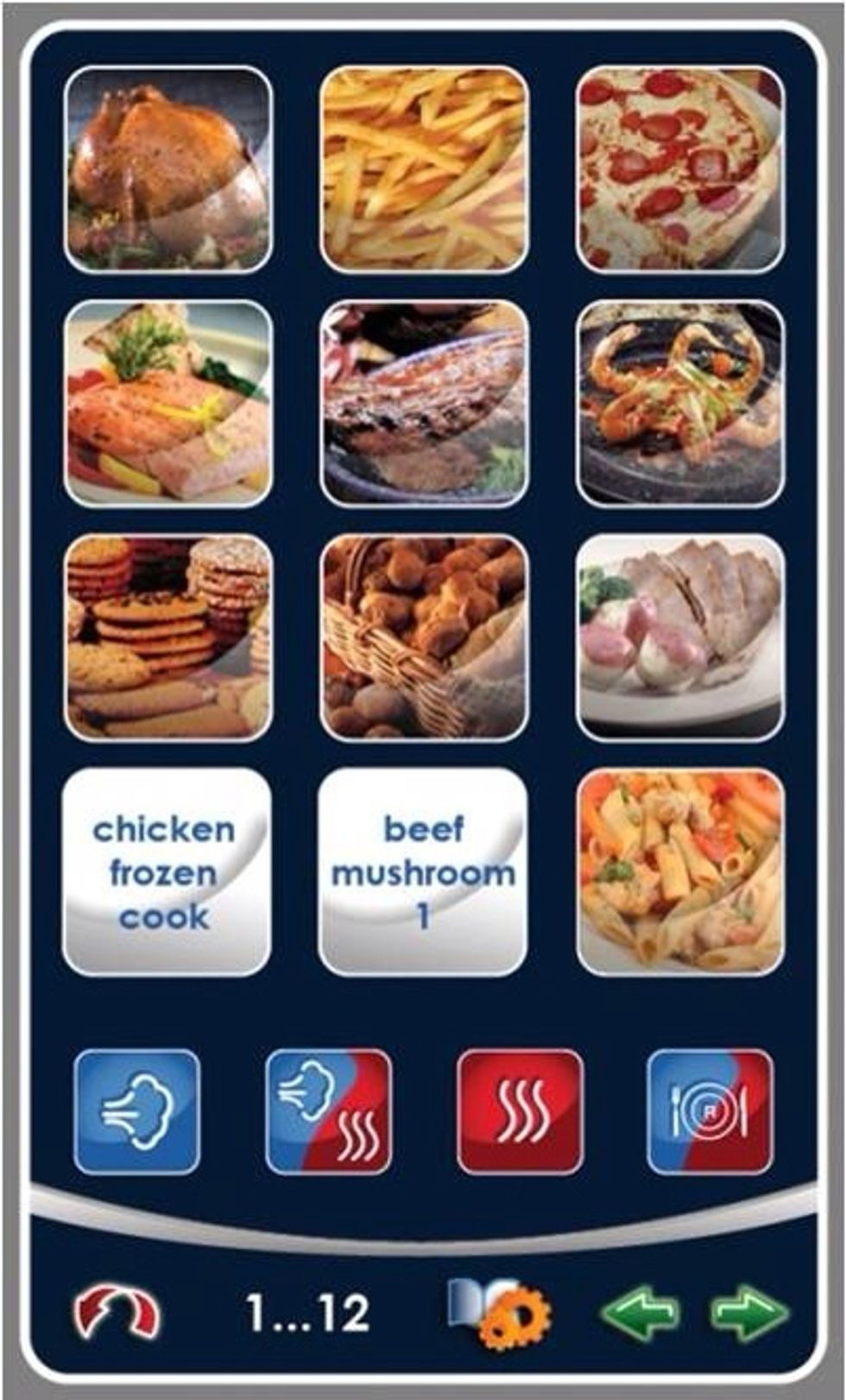
After the fifth cross is touched, this screenshot should appear. Now turn the control off and then back on. This saves the calibration.