
The Conversation (0)
Sign Up
If you have not done this recently it needs to be done. Your computer "remembers" lots of stuff. It will get bogged down and run slower if not allowed to "forget" some of the things you no longer need
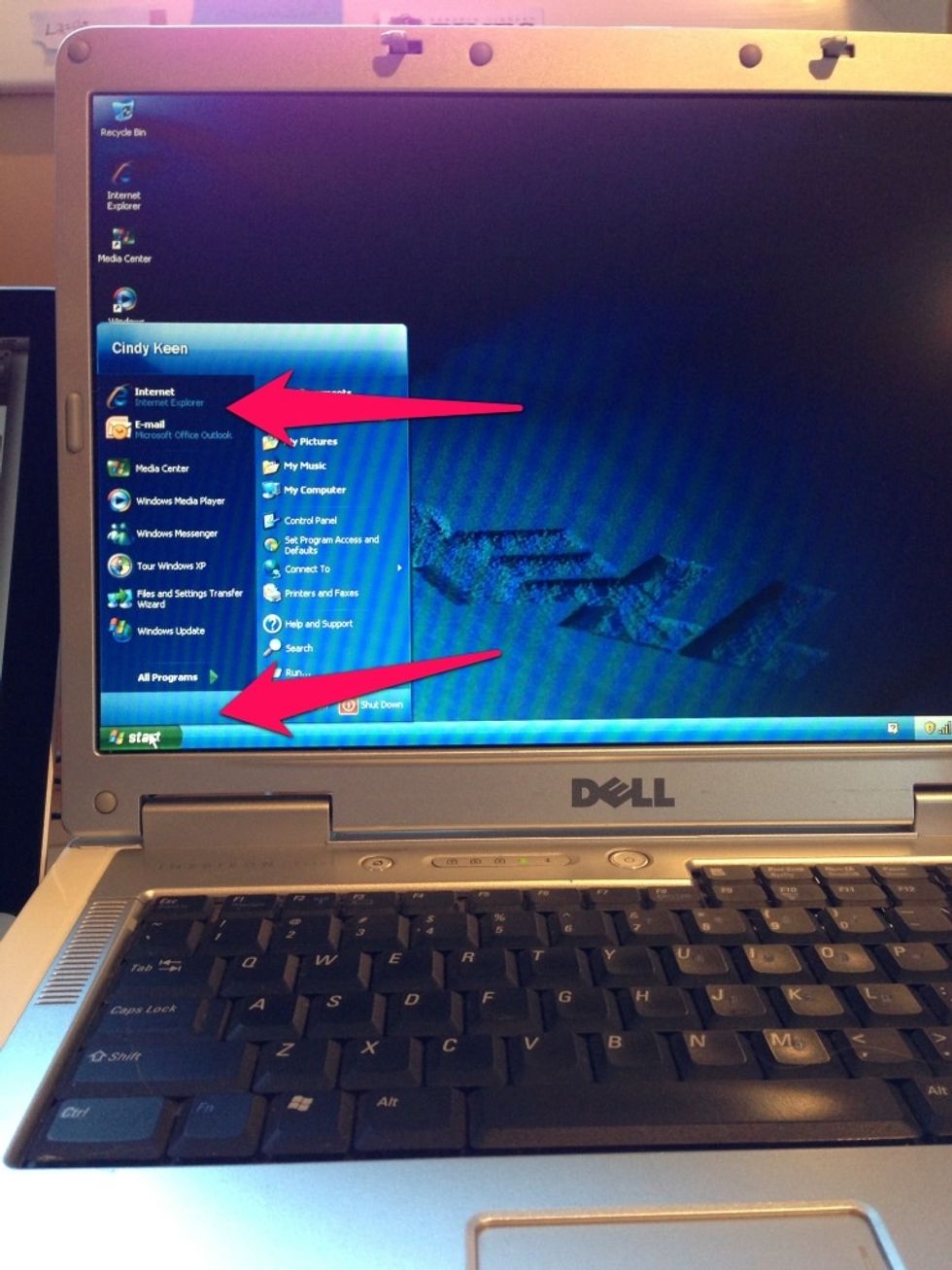
Open your Internet browser. On this computer, it's Internet explorer .
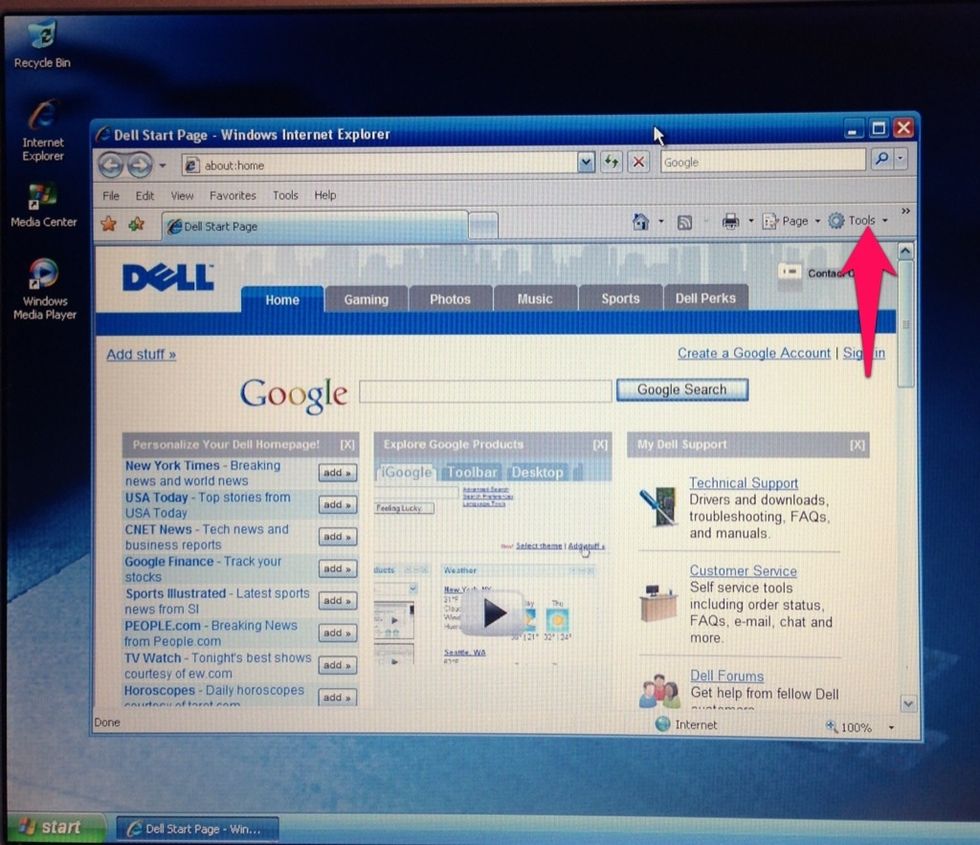
Find "tools" on your homepage and click the drop-down arrow
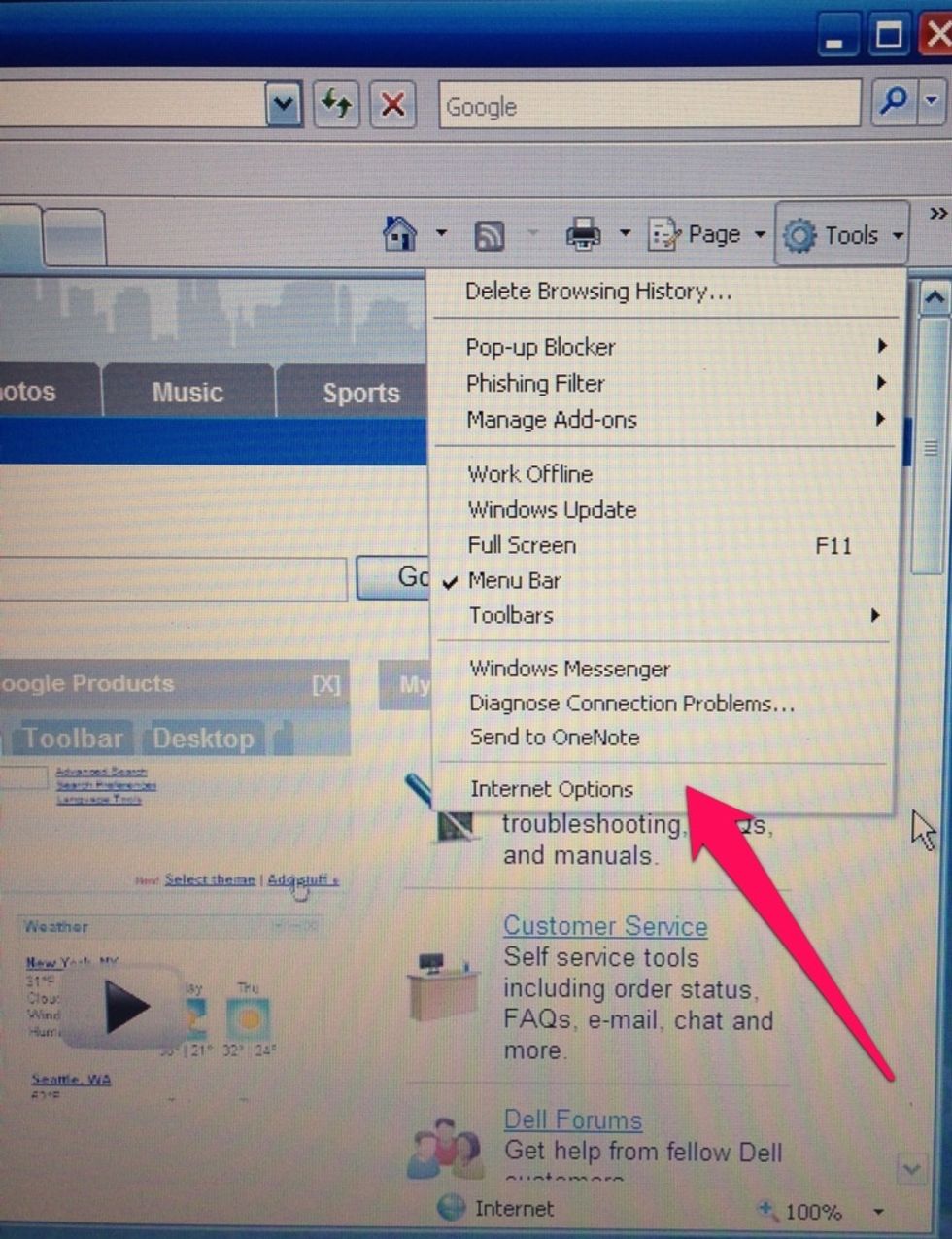
Scroll to the bottom of the pop-up window and click Internet options
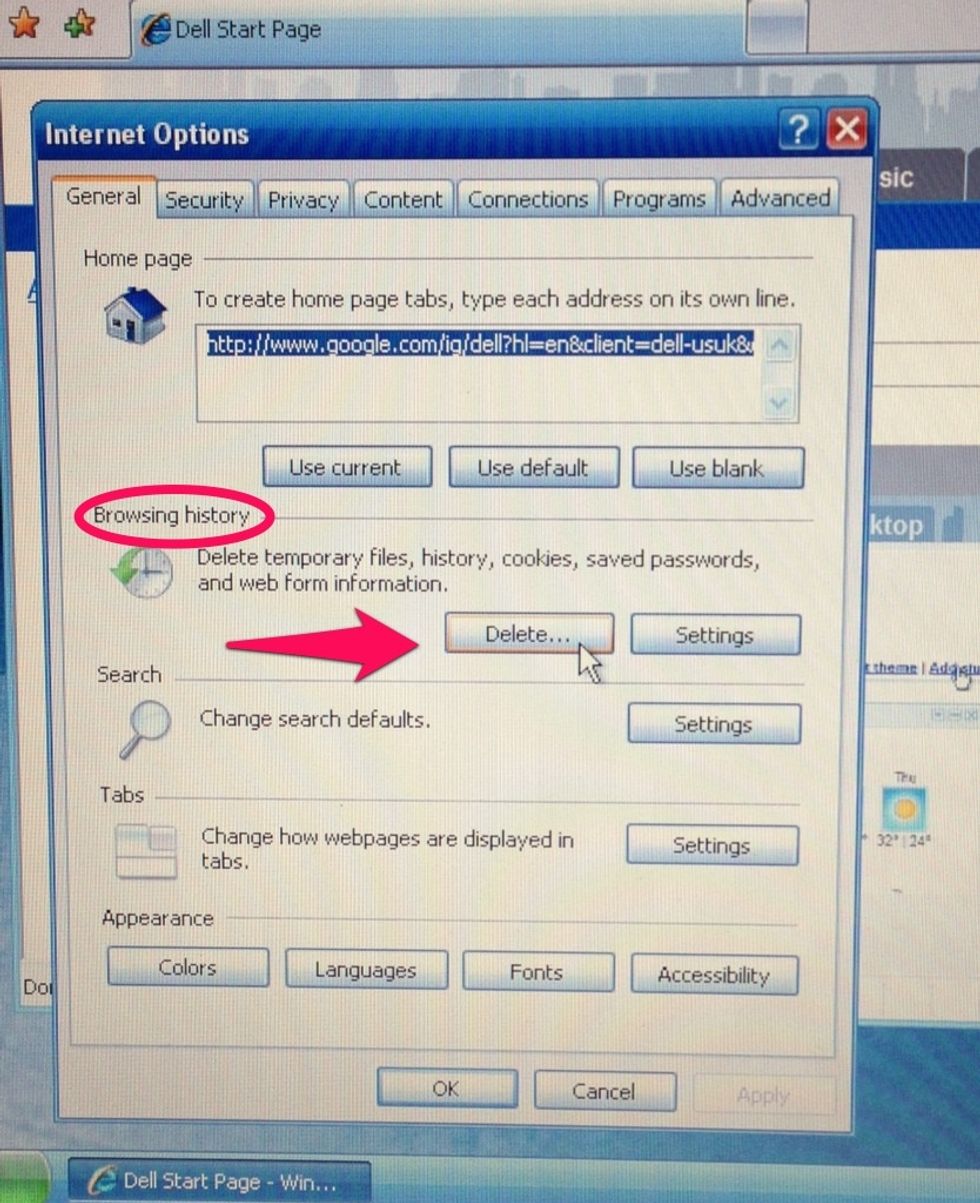
Under browsing history select delete
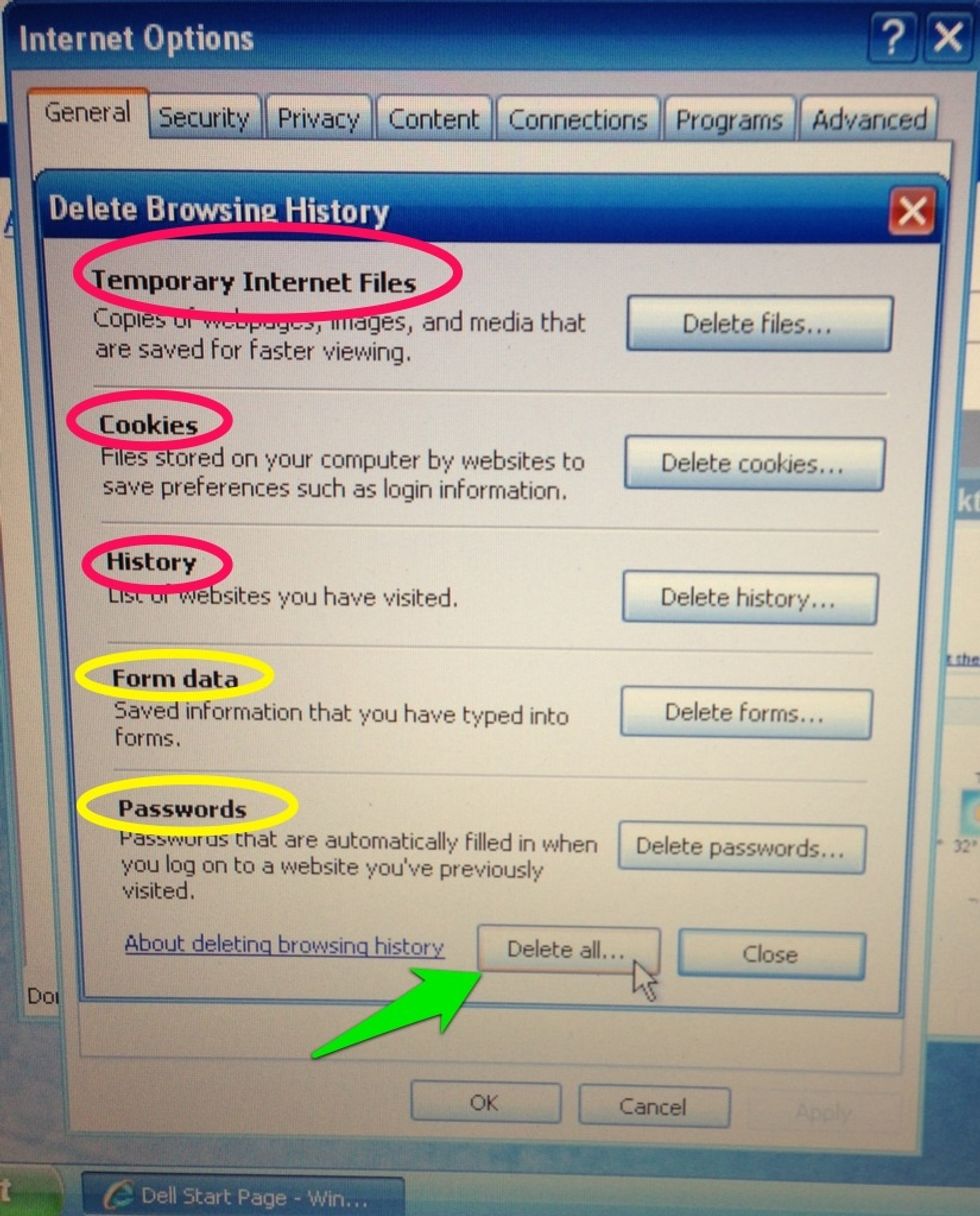
You should delete at least the top three.
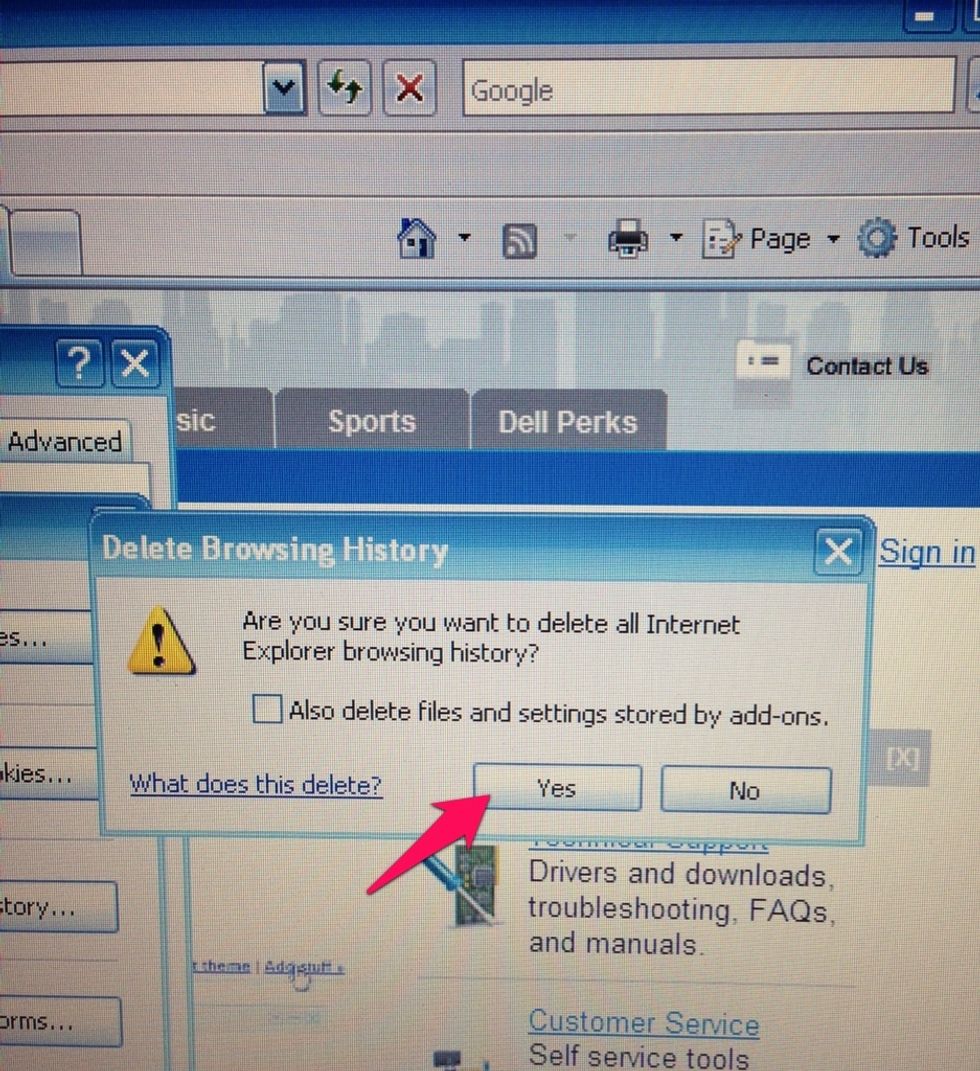
Click yes
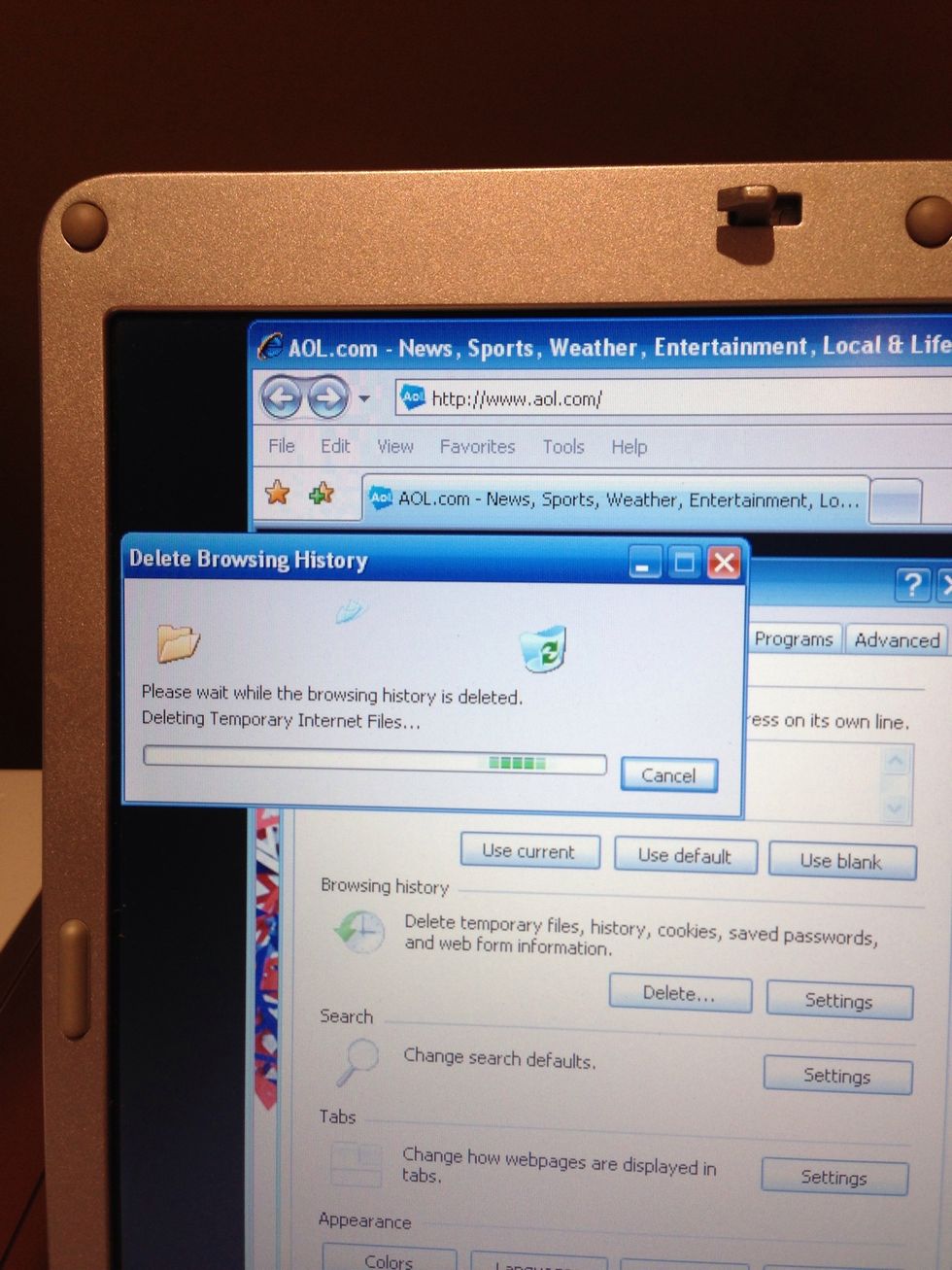
Watch while temporary files and cookies are being deleted
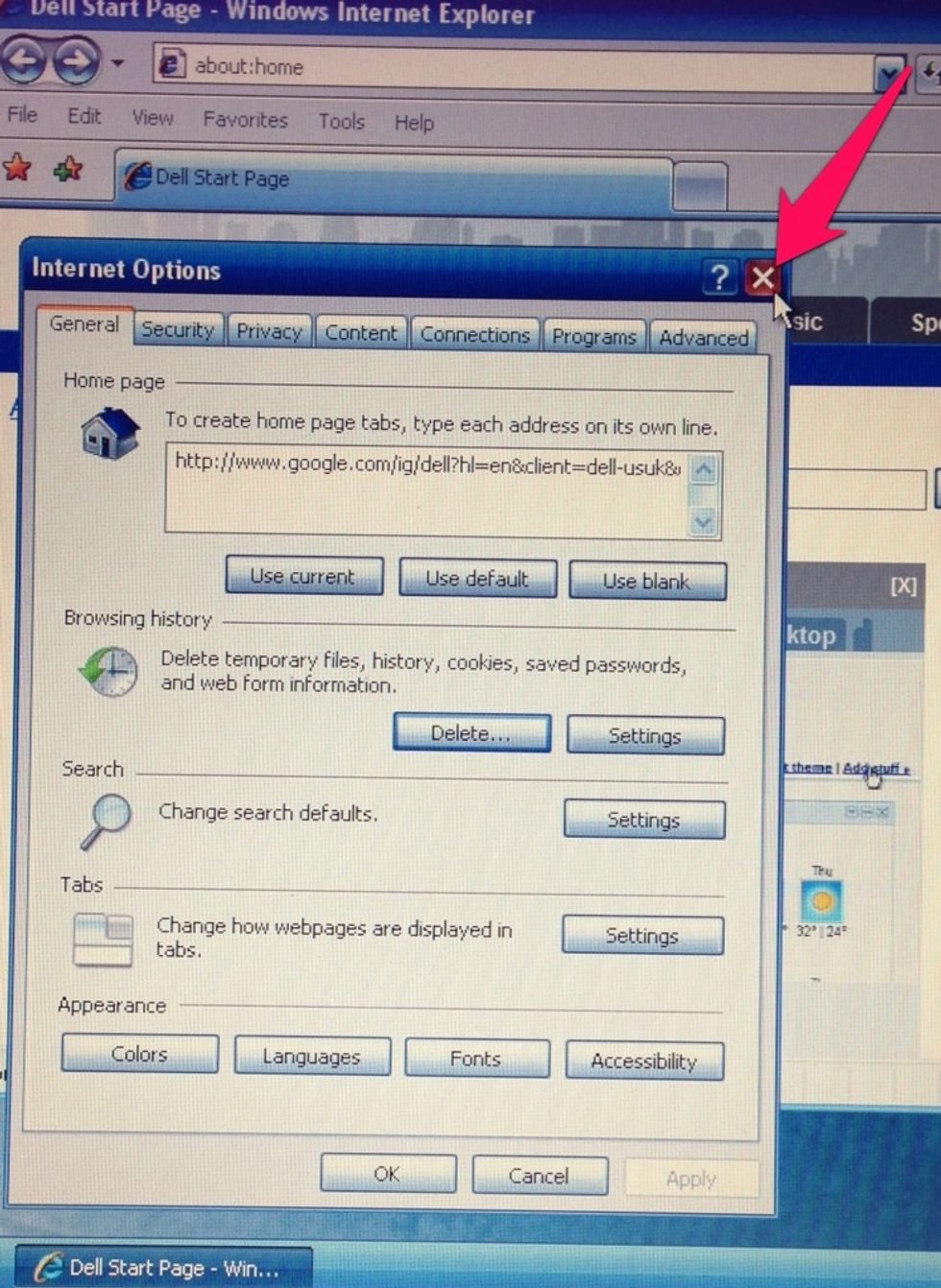
After the folder finishes emptying it returns to this window. Close the window and return to browsing the Internet
Your Internet browser is clean and ready for a faster browsing experience. Thanks for viewing for more go to cindykeen.com and Tech Know Now on Facebook