
The Conversation (0)
Sign Up
Go into "Settings"
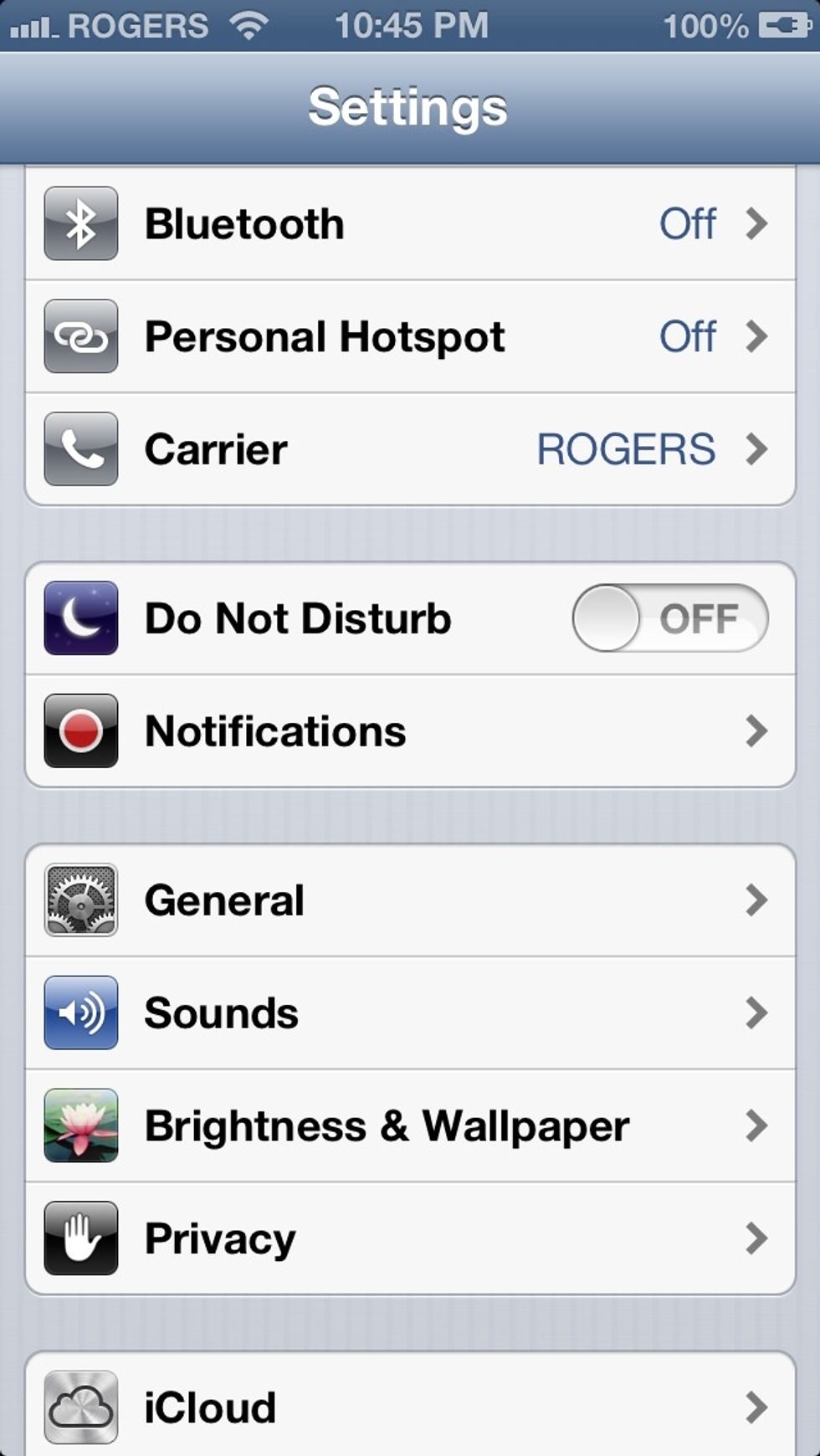
Select "General"
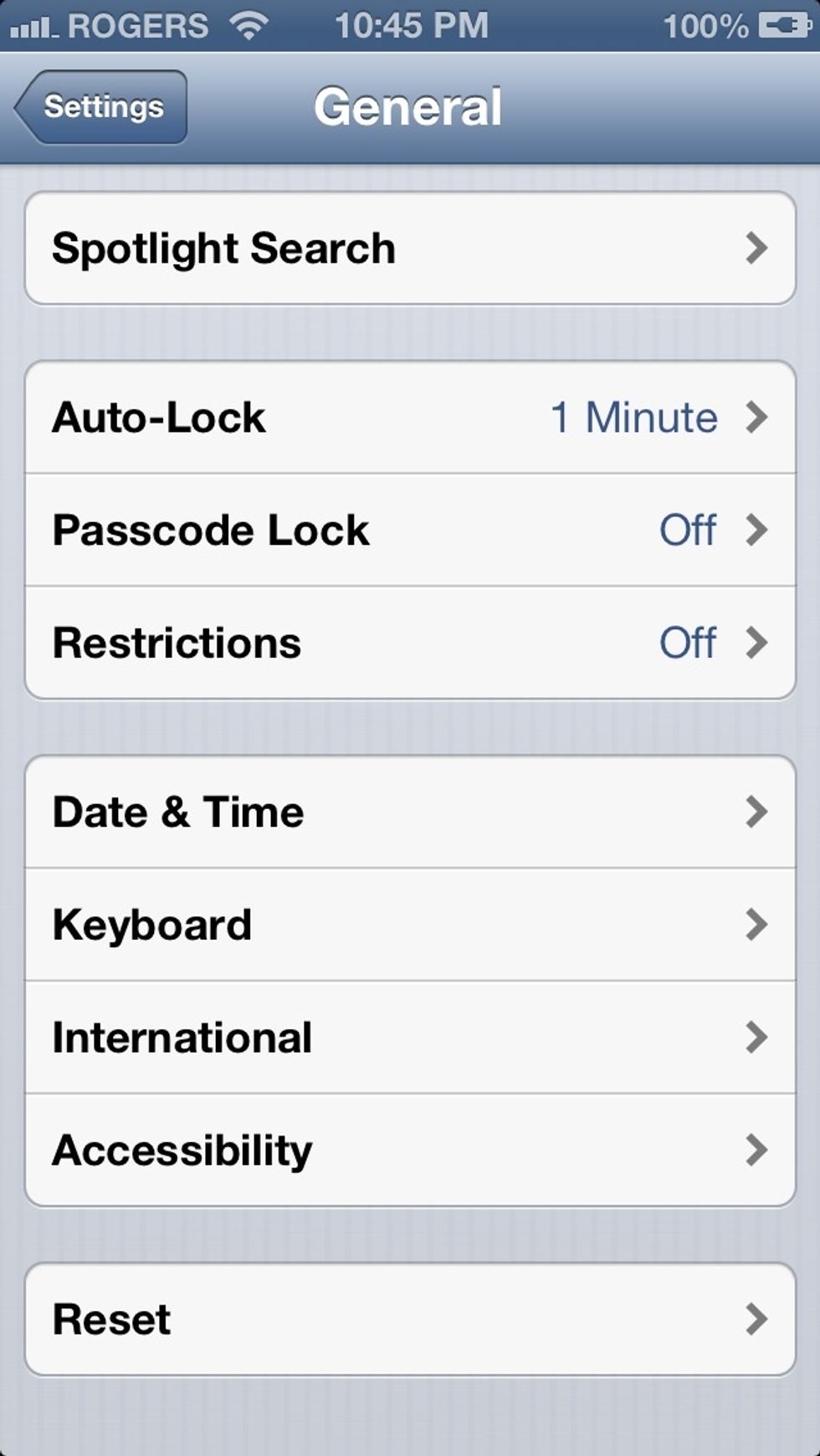
Scroll down to "Keyboard"
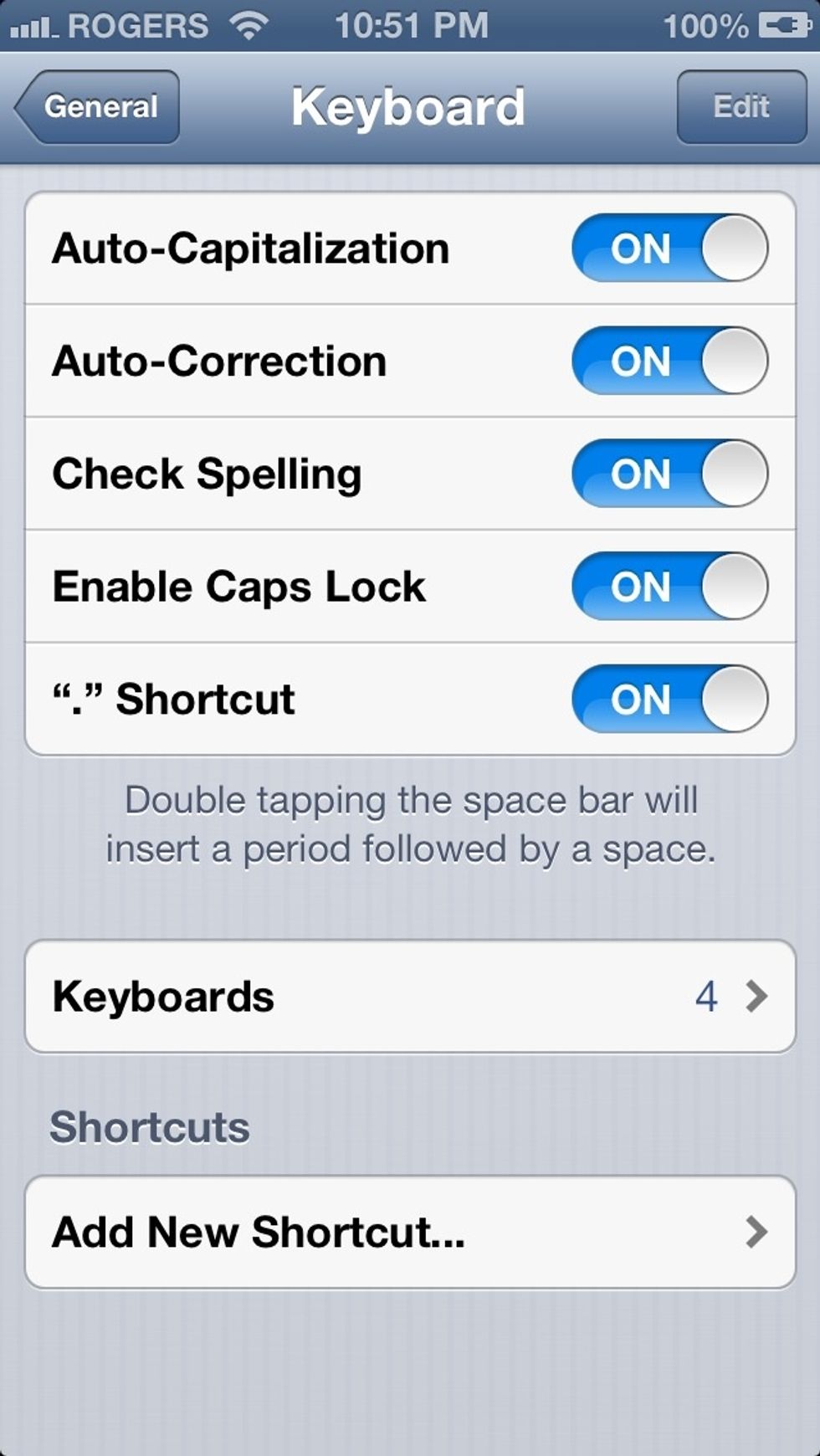
Scroll down to "Add New Shortcut…"
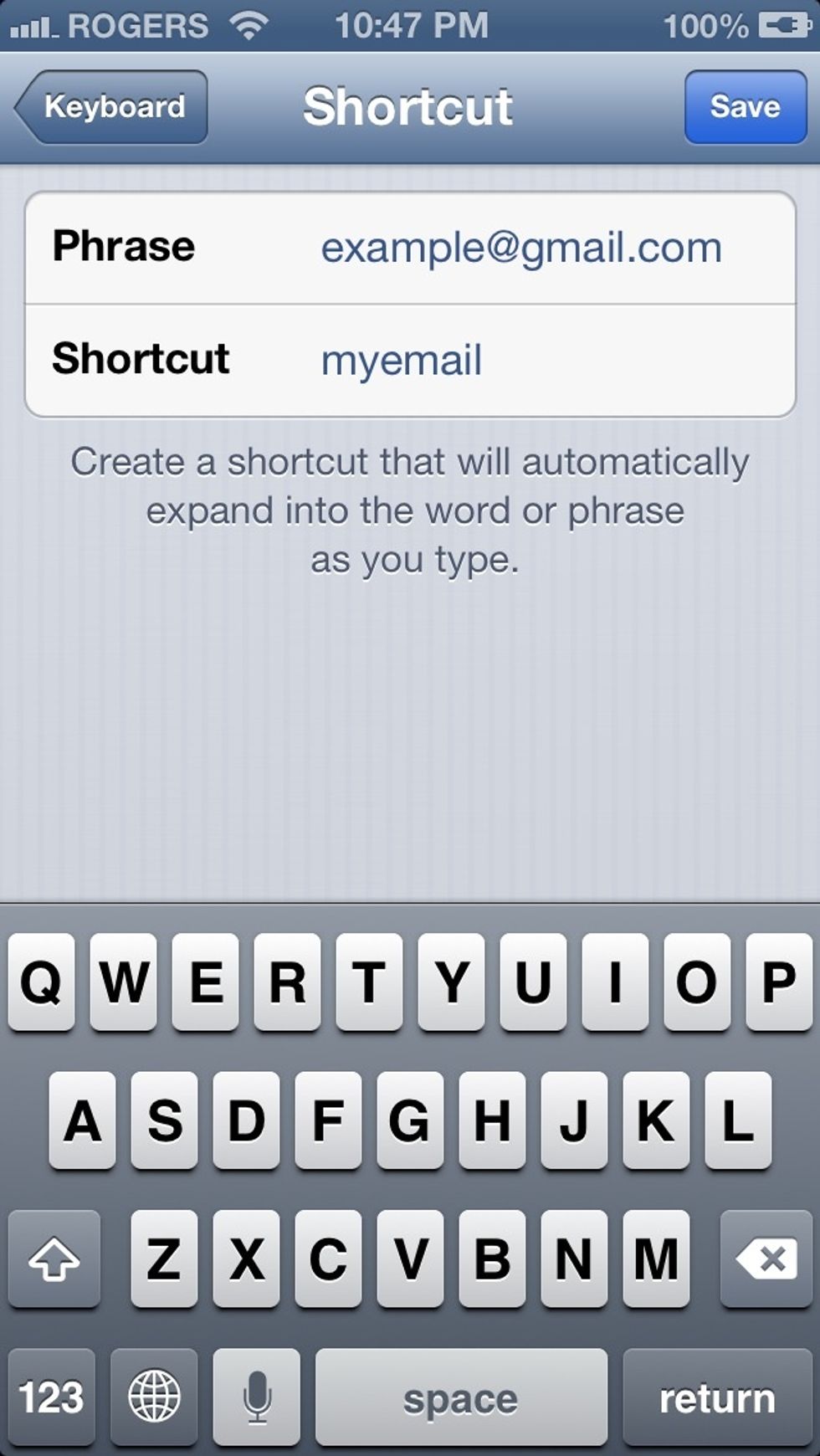
Create a phrase and a shortcut, an example would be using the shortcut "myemail" (a word you don't commonly use or an abbreviation) and your email as the phrase.
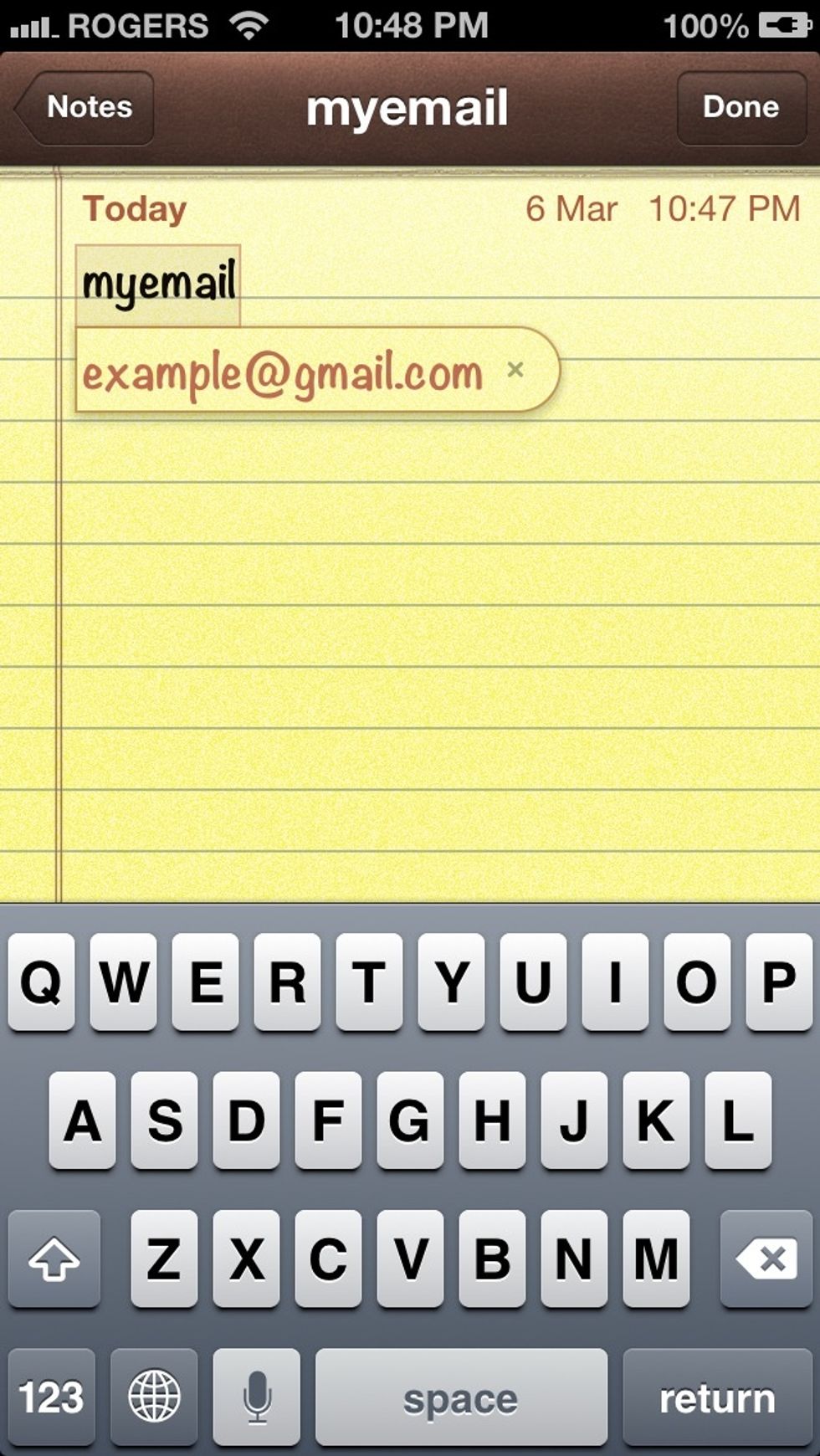
Now, whenever you type "myemail" it will recognize the shortcut

Pressing the space button would automatically paste it and you can continue typing
I personally use this shortcut and find it extremely useful when signing up for new accounts or just typing out my email address. Other ideas may include your full name or an address. Be creative!