
The Conversation (0)
Sign Up
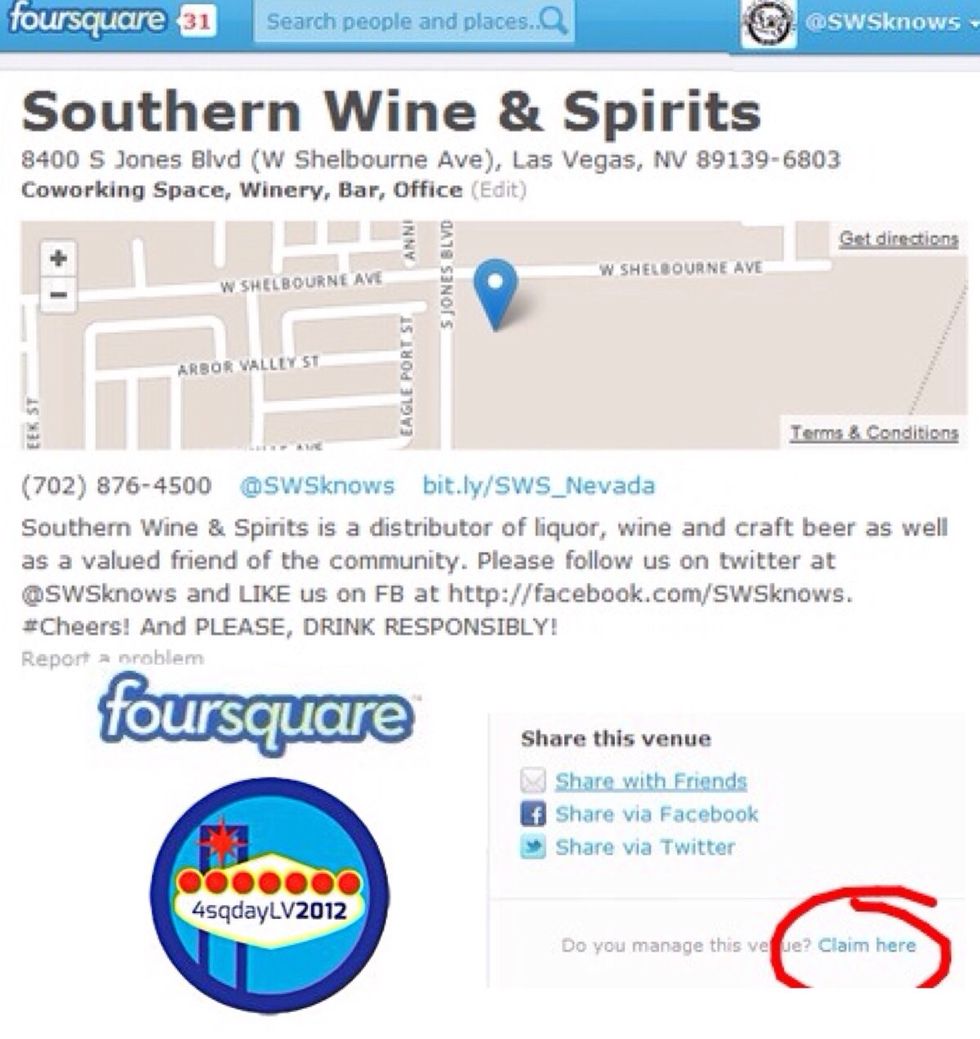
1st Find or Create your venue. Enter your info accurately. You'll need it to sync up later. Click "Claim here."
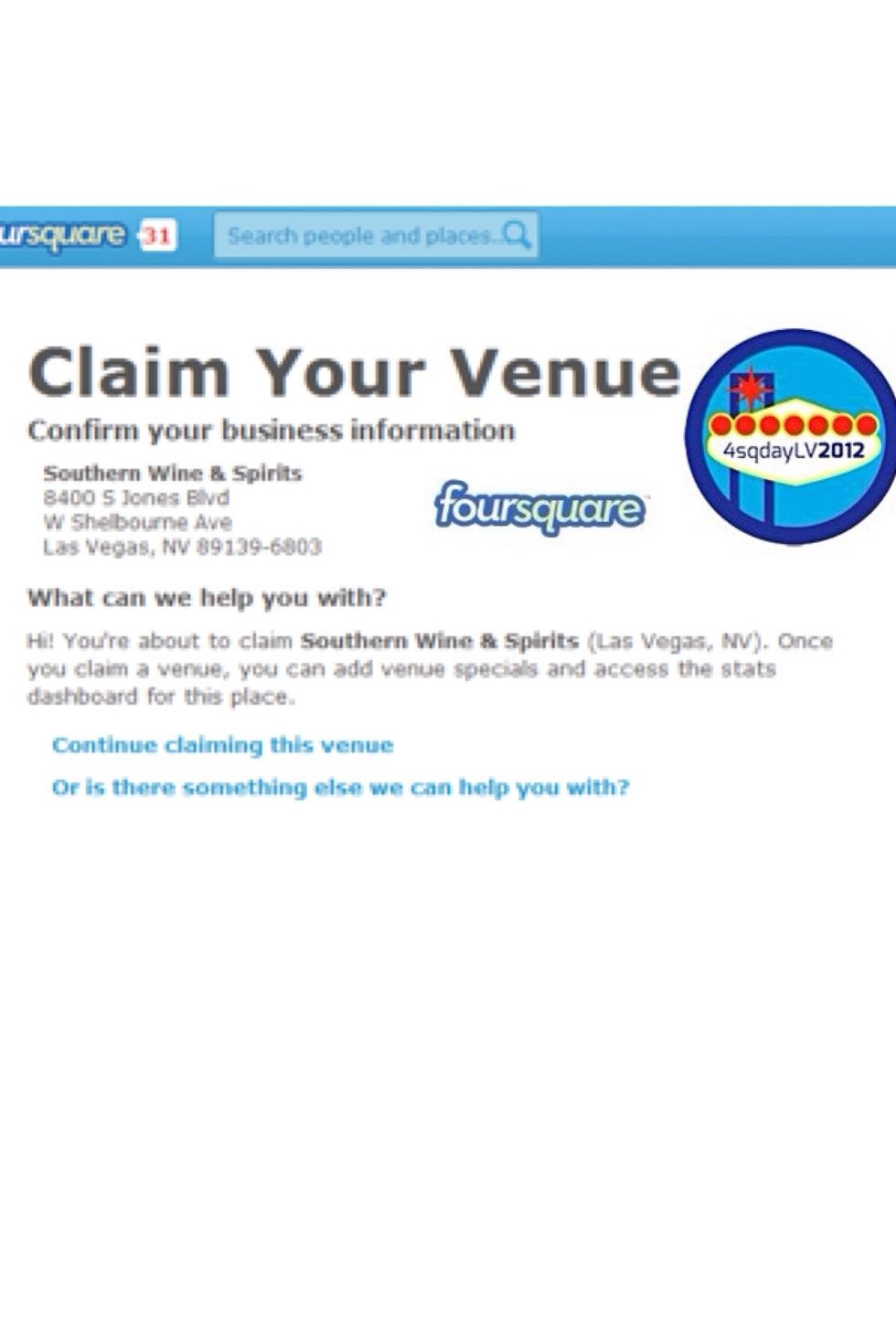
Step 2 clarifies your claim and mentions specials. Run them to spur traffic and interaction!
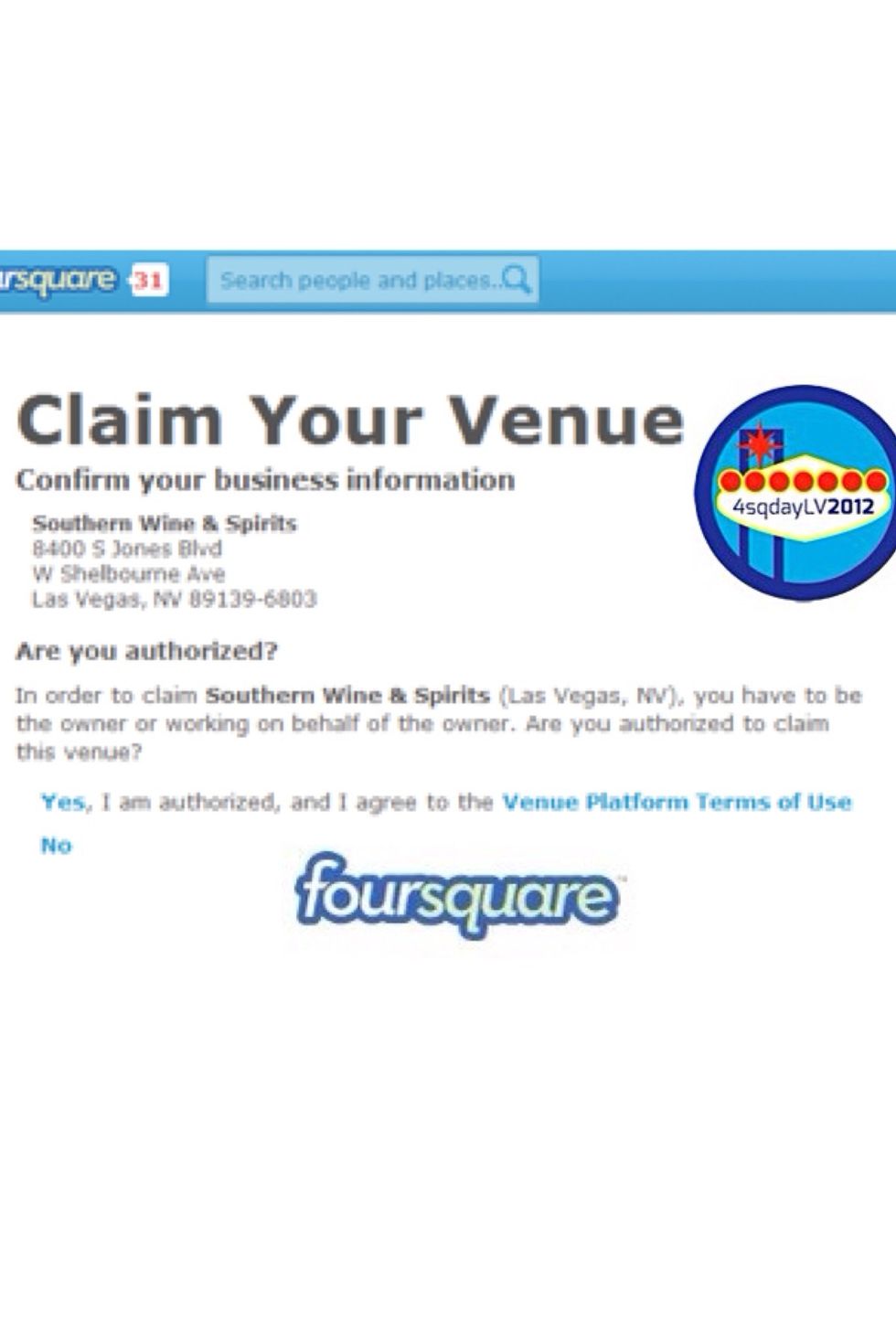
Step 3 Clarifies again that you are an agent of this business and introduces the Terms of Use.
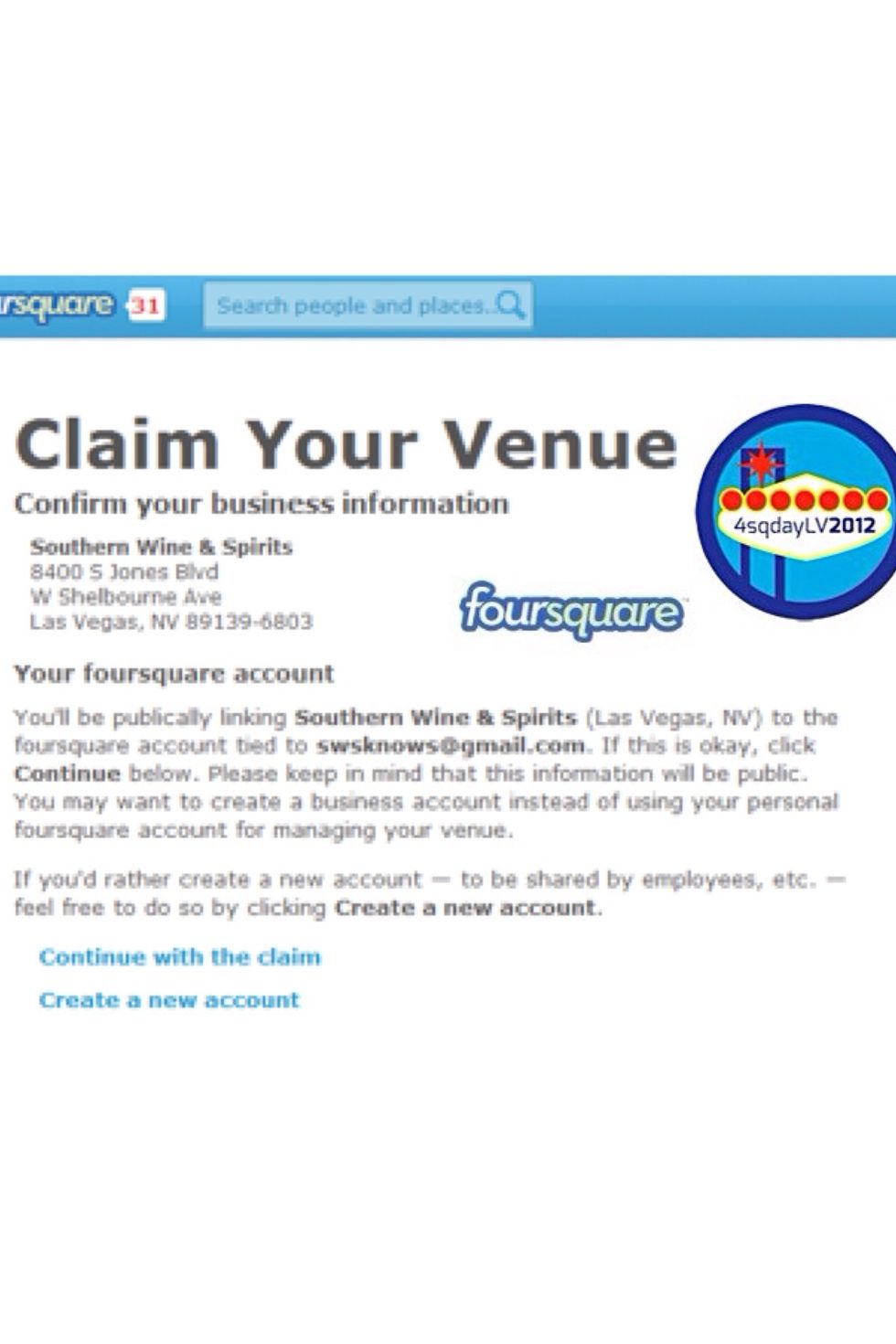
Foursquare defaults to making Managers public info. Turn that off later if you want to be anonymous.
Problems? 1. Make sure your Venue matches the YP.com listing. Even an '&' instead of 'and' can be rejected. 2. If you're converting an existing venue, a Super User can help edit it to match YP.com.
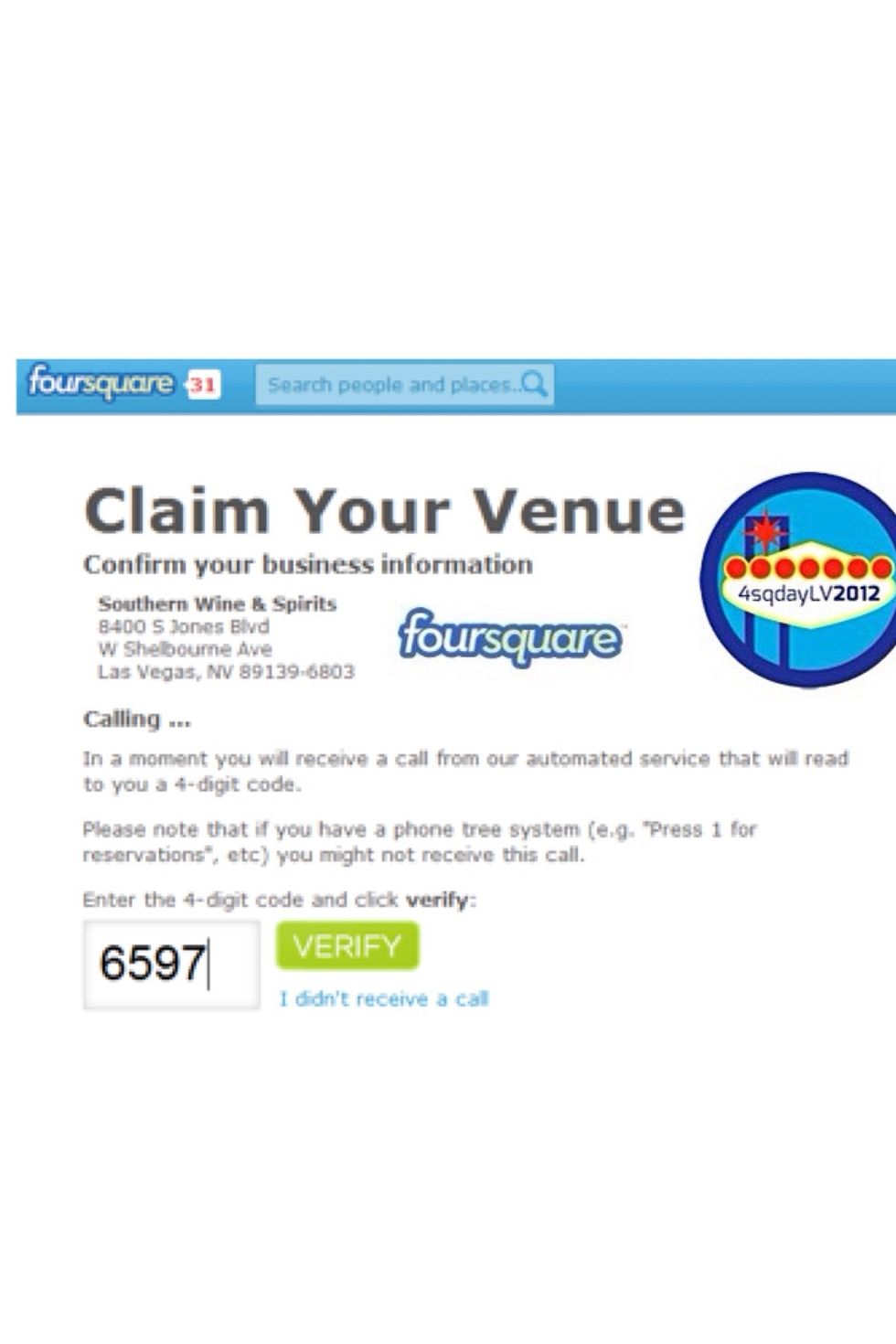
As long as your phone#'s match you'll get a call w/ a 4 digit code to punch in.
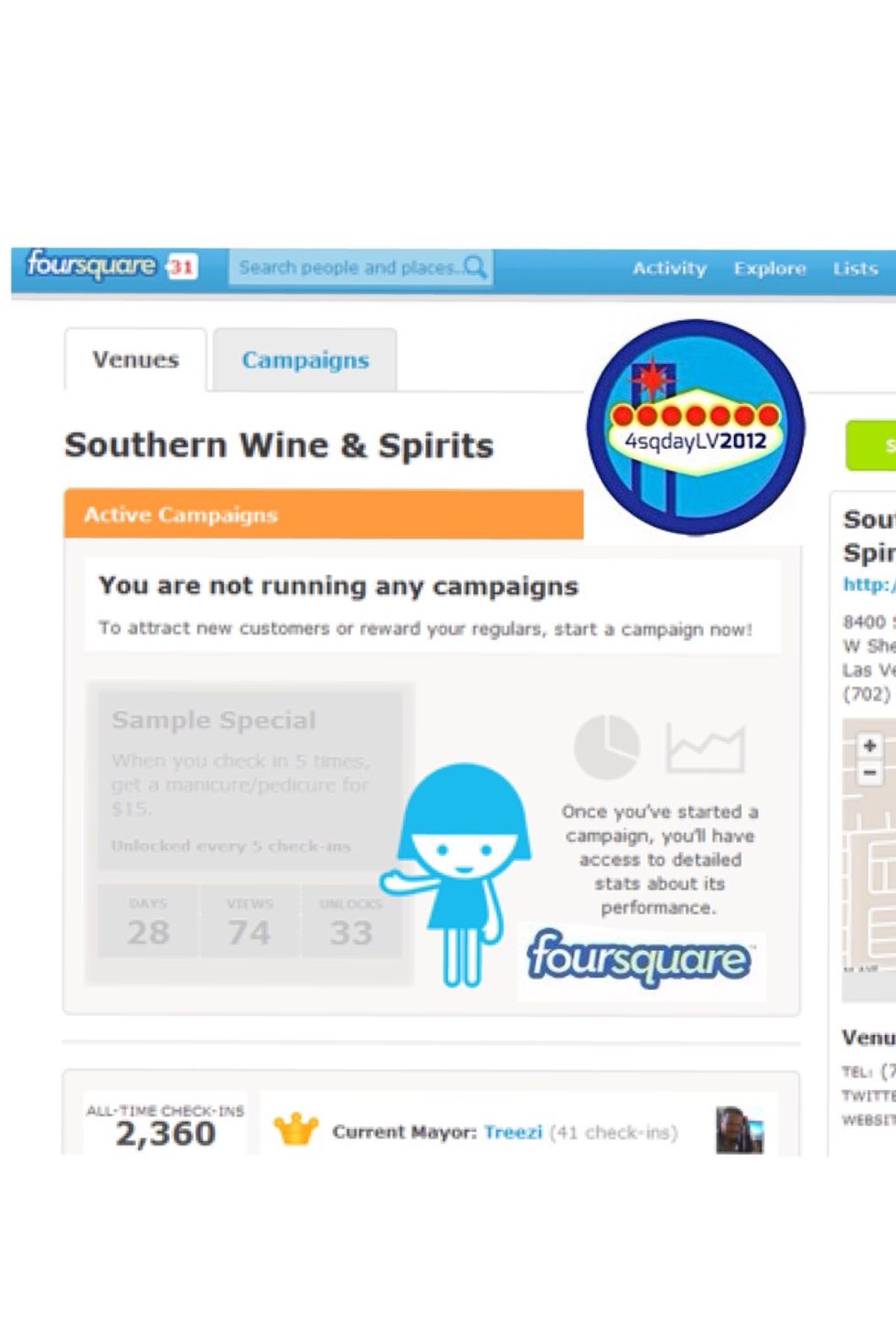
Congratulations! Now set up your specials & don't forget to add your new venue to your website & Facebook page.
Follow me on twitter at @JohnMischief. I am a level 2 #4sq #SU2 User ID #112693. Read more about.me at: http://about.me/JohnMischief #VegasTech #SinnerMag #Pride #4sqDayVegas